
You have spent money getting a website built, added your products or services, written some content and finally hit the publish button.
Now what?
You check Google every morning, type in a few of your keywords and your website is nowhere to be seen. You might even be struggling to find it when you search for your own business name.
Sound familiar?
Getting a new website off the ground is arguably one of the hardest parts of SEO. You have no established search visibility, very few links pointing to your domain and potentially hundreds of competitors that have been working on their websites for years.
However, you don’t need to outrank every single one of them to start making money.
You need to find the keywords they have overlooked, publish content that deserves to rank and give Google a reason to discover and trust your website.
I’m going to break down exactly how I would approach a brand-new domain, where I would spend my money, where I wouldn’t spend a penny and how I would go about building organic search traffic from scratch.
You can follow this process yourself or outsource the parts you don’t have time to do.

What Is SEO for New Websites?
SEO for a newly launched website involves improving its technical structure, content, internal linking and external visibility to help it appear in organic search results.
The approach is slightly different from working on an established domain.
An established website might already have thousands of backlinks, hundreds of indexed pages and a steady flow of organic visitors. A fresh domain has to build these things from the ground up.
There are five things I would concentrate on:
-
Getting the website discovered and indexed by Google.
-
Finding keywords with genuinely weak competition.
-
Publishing content that satisfies search intent.
-
Building relevant internal and external links.
-
Tracking keyword movements and improving pages using real data.
Notice that I haven’t mentioned spending thousands of dollars.
You can get a surprising amount of work done without a huge SEO budget, providing you know where to concentrate your efforts.
1. Find Out If Google Has Indexed Your New Website
Before you start worrying about backlinks or paying somebody to optimise your website, make sure Google can actually find it.
Head over to Google and type the following into the search box, replacing the example domain with your own:
site:yourwebsite.com
If your pages appear, Google has discovered and indexed at least some of your content.
If nothing appears, don’t panic. The site search operator isn’t a comprehensive indexing report, particularly for a recently launched domain.
The next thing you need to do is set up Google Search Console.
It’s free, and the information comes directly from Google.
Once you have verified ownership of your domain, you can use it to:
-
Check whether individual URLs are indexed.
-
Submit your XML sitemap.
-
Discover indexing problems.
-
Find out which keywords generate impressions.
-
Monitor organic clicks.
-
Identify pages that Google has discovered but not indexed.
Use the URL Inspection tool to check your homepage and important service or product pages.
If a page isn’t indexed, investigate why before requesting indexing.
There is little point building links to a page that Google cannot crawl or that contains a noindex directive.
Check Your WordPress Settings
If you are using WordPress, go to:
Settings → Reading → Search Engine Visibility
Make sure the option to discourage search engines from indexing your website is unchecked.
It’s an easy setting to overlook, especially if your website was built on a development server before being transferred to your main domain.
Also check that your important pages return a successful HTTP status, aren’t blocked from crawling and use the correct canonical URLs.
You can read more about the process in Google’s guide to crawling and indexing.
2. Stop Trying to Rank for the Biggest Keywords First
This is where a lot of new website owners go wrong.
They open a keyword research tool, type in something related to their business, sort the results by search volume and immediately start targeting the keywords with the biggest numbers.
That’s not where I would start.
Imagine you have just launched a website selling garden furniture.
You could spend six months trying to rank for:
Garden furniture
Alternatively, you could investigate more specific search terms such as:
| Broad keyword | More specific keyword opportunity |
|---|---|
| Garden furniture | Best garden furniture for small patios |
| Garden tables | Garden tables for narrow balconies |
| Outdoor chairs | Outdoor chairs for elderly people |
| Garden benches | Wooden garden benches for small gardens |
| Patio furniture | Patio furniture for windy gardens |
These are illustrative keyword ideas, not verified low-competition terms. You would need to investigate each one before writing.
The more specific searches tell you considerably more about what the customer wants.
Somebody searching for garden furniture could be looking for absolutely anything. Somebody searching for furniture suitable for a narrow balcony has a particular problem and is potentially much closer to making a purchase.
I’d rather have 100 visitors looking for something I sell than 1,000 visitors who have no intention of buying anything.
How to Find Keywords a New Website Can Rank For
You can do a fair amount of keyword research manually without paying for expensive software.
Start by searching for a potential keyword on Google.
Open the pages ranking organically and ask yourself:
-
Does the content answer the exact search query?
-
Are the results dedicated to the subject or only mentioning it briefly?
-
Are forums ranking because nobody has written a better resource?
-
Is the information outdated, incomplete or unnecessarily complicated?
-
Can I offer something more useful than the existing results?
-
Do the individual ranking URLs have many external backlinks?
That last point is important.
There is a difference between competing against a powerful domain and competing against a heavily linked individual page.
A website might have thousands of referring domains, but the specific article ranking for your keyword could have very few links pointing directly to it.
That doesn’t automatically make the page easy to beat. Domain reputation, internal links and content quality still matter. However, it gives you another useful piece of information when assessing the competition.
You can use the Ahrefs free backlink checker to investigate competing URLs and Google Keyword Planner to research search demand.
Don’t rely entirely on a keyword difficulty score.
Look at the actual search results.
3. Build Pages That Deserve to Rank
You don’t need 500 articles on a new website.
You need pages that have a reason to exist.
If I were launching a service-based business tomorrow, I would start by building dedicated pages for the services that actually make the business money.
After that, I would publish supporting articles designed to attract potential customers and guide them towards those commercial pages.
For example, a website selling professional cleaning services might have a main service page supported by articles covering cleaning costs, preparation, comparisons, common problems and choosing a suitable company.
Every article has a purpose.
It attracts a particular audience, answers a question and provides a sensible next step.
How Long Should Your SEO Content Be?
As long as it needs to be.
If somebody wants to know the cost of a particular service, give them the information they came for. Don’t make them scroll through 2,000 words about the history of your industry before showing them a price.
On the other hand, a comprehensive guide might require several thousand words to cover the subject properly.
There is no magic word count that gets you onto page one of Google.
When writing content, concentrate on providing something the existing search results don’t offer.
That could be original photographs, actual prices, screenshots, test results, comparisons, practical examples or a detailed explanation based on your own experience.
Have a look at Google’s guidance on creating helpful, reliable, people-first content.
Writing more words than your competitors isn’t a strategy on its own. Giving the reader a better answer is.
4. Get Your On-Page SEO Right Before Spending Money on Backlinks
Before you spend anything on link building, go through your website and make sure the pages you want to rank are properly optimised.
You can do this yourself.
Here is the checklist I would work through for each important page:
| On-page SEO factor | What to do |
|---|---|
| Title tag | Include the primary keyword naturally |
| H1 heading | Make the subject of the page clear |
| H2 headings | Cover relevant questions and related searches |
| URL | Keep it short and descriptive |
| Meta description | Give people a reason to click |
| Image ALT text | Accurately describe the image |
| Internal links | Connect relevant pages using descriptive anchors |
| Content | Satisfy the search intent |
| Mobile usability | Make sure everything works on smaller screens |
| Page speed | Remove unnecessary scripts and oversized images |
| Indexability | Check the URL in Google Search Console |
Don’t go stuffing your target keyword into every paragraph.
Google doesn’t need to see the same four words repeated 50 times to understand what your page is about.
I would also run the important URLs through Google PageSpeed Insights. Pay attention to the problems that genuinely affect the user experience.
Get the basics right, publish the content and move on to the next job.
You can always come back and improve the page when you have some real search performance data to work with.
5. Build Internal Links Before Getting External Backlinks
This is something you can do right now, and it won’t cost you anything.
Internal linking is massively overlooked by people launching websites.
They publish an article, leave it sitting on the blog and expect Google to work out which pages are important.
Every time you publish a new piece of content, go through your existing pages and look for relevant internal linking opportunities.
Let’s say you have a new website selling coffee machines.
Your website structure could look something like this:
-
Main commercial page: Coffee machines.
-
Supporting article: Best coffee machines for small kitchens.
-
Supporting article: How much does a coffee machine cost?
-
Supporting article: Coffee machines for beginners.
-
Supporting article: Are expensive coffee machines worth buying?
-
Supporting article: Coffee machine maintenance guide.
Where relevant, each supporting article should link to the main commercial page. You can also link the guides together where doing so helps the reader.
You are building a collection of related content around the products you sell.
Google can discover the pages more easily, understand how they relate to one another and identify the important sections of your website.
The visitor also has somewhere to go after reading an article.
Getting somebody onto your website is only half the job. You want that person to do something when they get there.
6. How to Get Your First Backlinks for a New Website
Right, now we can start looking at backlinks.
You don’t necessarily need to spend money to get your first links in place. There are plenty of opportunities available for people who have the time to do the work themselves.
The important thing is to understand what you are getting.
A link from a newly created profile isn’t the same as an editorial link from an established website with thousands of visitors.
Both can serve different purposes, but I wouldn’t value them equally.
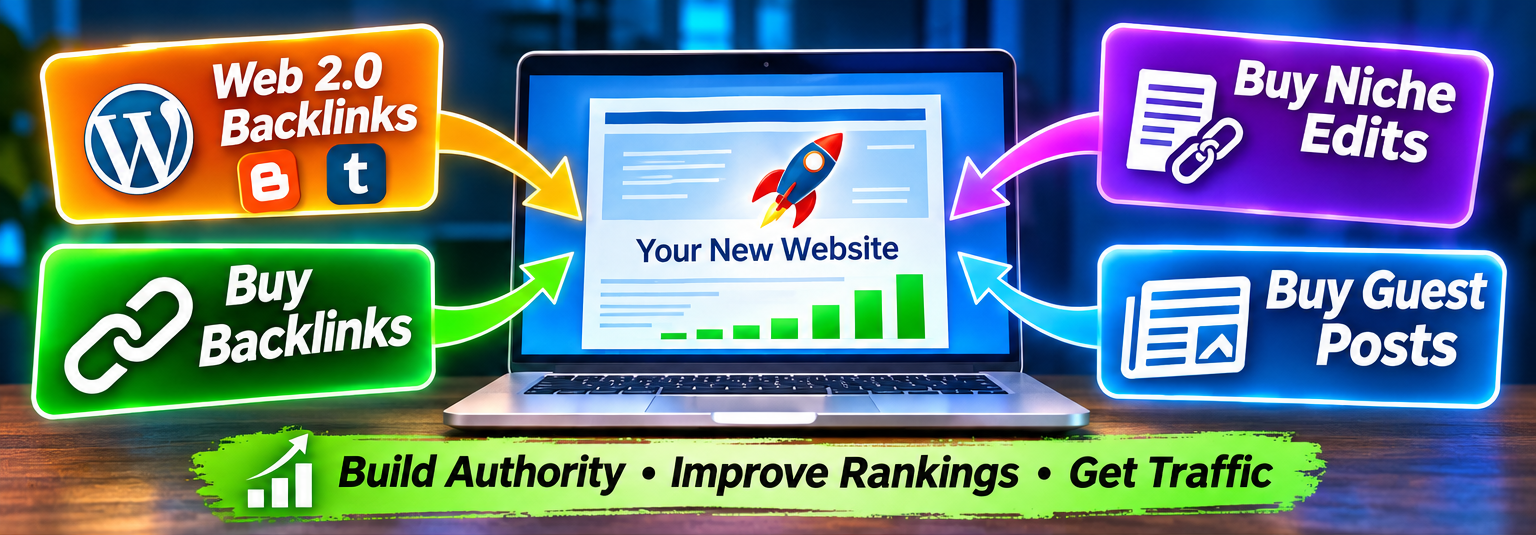
For a newly launched business, I would investigate the following opportunities.
| Backlink source | Cost | Primary purpose |
|---|---|---|
| Business directories | Free or paid | Business discovery |
| Social media profiles | Free | Brand visibility |
| Relevant resource pages | Usually free | Referral traffic and discovery |
| Content publishing platforms | Free or low cost | Content distribution |
| Industry associations | Varies | Professional credibility |
| Guest articles | Free or paid | Audience exposure |
| Editorial mentions | Varies | Relevant recommendations |
| Digital PR | Varies | Brand exposure and earned links |
There is no requirement to get a predetermined number of links from every category.
Start with the opportunities that make sense for your business.
A local plumber, an international software company and an online clothing retailer are unlikely to benefit from identical backlink campaigns.
Start With Free Backlinks
I have published a large list of free backlinks here on Rankers Paradise, along with details of previous ranking experiments.
In one of the documented tests, I reported achieving a number one position for a keyword with a difficulty score of 24 using free link sources.
That is an interesting result, but remember that keyword difficulty scores are third-party estimates. A previous ranking result doesn’t mean every website will achieve the same outcome.
The reason I mention this is simple.
You shouldn’t automatically assume that you need an enormous budget to compete for a profitable search term.
You need to assess the competition first.
7. Using Web 2.0 Sites to Promote a New Website
One of the reasons I have spent so much time testing free publishing platforms over the years is that anybody can use them.
You don’t need to own a network of expensive domains, and you don’t need to negotiate with website owners to publish your own material.
There are several platforms worth investigating:
| Platform | Website | Suitable content |
|---|---|---|
| WordPress.com | wordpress.com | Detailed guides |
| Blogger | blogger.com | Educational blog posts |
| Medium | medium.com | Industry articles |
| Tumblr | tumblr.com | Short articles and visual content |
| Google Sites | sites.google.com | Useful resources |
| Wix | wix.com | Informational websites |
| Weebly | weebly.com | Supporting content |
Don’t just register an account, throw some rubbish content onto it and expect your website to shoot up the Google rankings.
Create something worth reading.
For example, if you have a website selling fishing equipment, you could create a free blog covering fishing techniques for beginners.
You could publish articles about choosing a fishing rod, selecting suitable bait and maintaining equipment.
Where appropriate, reference a relevant guide on your main website.
The content has a purpose beyond the link itself.
I have put together an extensive step-by-step guide showing how to create web 2.0 backlinks on different platforms, including documented keyword ranking results that you can investigate yourself.
You can also read my earlier Web 2.0 link wheel tutorial, which documents a campaign that reportedly reached the first page on day one and achieved a number one position around 30 days later.
Would I expect every new website to replicate those results today?
No.
Search competition changes, Google changes and individual links can be treated differently.
You should also understand that a free blog doesn’t inherit all the ranking strength of the parent domain. High domain authority doesn’t automatically make a newly published page powerful.
Creating networks of sites primarily to manipulate search rankings can also fall foul of Google’s link spam policies.
Use these platforms to publish worthwhile content, not simply to manufacture links.
8. Should You Buy Backlinks for a Brand-New Website?
You are probably wondering how much money you need to spend to get things moving.
The answer depends on what you are attempting to rank for.
If your website is targeting a handful of low-competition local search terms, improving your content and establishing your business online might be enough to start attracting customers.
If you have launched an online store competing against established national retailers, you will probably need considerably more work.
Before paying for a link building service, I would want to know:
-
Which pages need promoting?
-
Which keywords am I targeting?
-
Are those keywords likely to generate sales?
-
How strong are the pages already ranking?
-
What link placements will I receive?
-
Are the publishing websites relevant?
-
Can I inspect examples of the work?
-
Will I receive a detailed report?
Don’t choose a service simply because it offers the biggest number of links for the lowest price.
What are those links actually doing for your business?
If you are considering outsourcing this part of your campaign, read my guide on how to buy backlinks before spending your money.
It explains the different options available and gives you a better understanding of what to look out for.
You also need to be aware of Google’s spam policies.
Buying links specifically to manipulate organic search rankings violates those policies. Paid advertising and sponsored placements should use appropriate link attributes, such as rel="sponsored" or rel="nofollow".
A paid placement can still have commercial value through relevant exposure, brand awareness and referral traffic without passing ranking credit.
9. Are Niche Edits Suitable for a New Domain?
A niche edit is a link placement within an article that has already been published.
Rather than creating an entirely new piece of content, the website owner updates an existing page to include a relevant reference to your website.
The attraction is that the page might already be indexed, attracting visitors and earning external links.
However, there is a massive difference between a relevant editorial addition and a link that has been shoehorned into an unrelated article.
Imagine you have just launched a website selling home gym equipment.
An existing article covering the best equipment for a garage gym could provide a relevant opportunity for your business.
An article about cryptocurrency would be a different matter altogether.
I would look carefully at the following before purchasing a placement:
| Factor | What I would look for |
|---|---|
| Topical relevance | A genuine connection to my website |
| Article quality | Useful content that makes sense |
| Existing visibility | Evidence that the page attracts search impressions or visitors |
| Outbound links | No obvious pattern of unrelated commercial links |
| Website history | An established and legitimate publishing website |
| Placement | A contextual reference that benefits the reader |
| Link attributes | Appropriate qualification for paid placements |
Don’t get too hung up on Domain Authority.
You can find websites with impressive third-party metrics that have virtually no organic search visibility.
Likewise, you can find small specialist websites with modest metrics that attract exactly the audience your business needs.
If you want to compare available placements, you can learn more about where to buy niche edits and what this type of service involves.
10. Using Guest Posts to Build Visibility for a New Website
Guest posting gives you the opportunity to put your business in front of somebody else’s audience.
You provide an article to an established website, demonstrating your knowledge of a particular subject.
The reader discovers your business through the content.
Let’s say you have launched a website offering accounting services for small businesses.
A guest article covering common bookkeeping mistakes could be useful to readers of a business publication.
You could explain how to avoid those mistakes and introduce your accounting business where relevant.
That is far more useful than publishing a generic article on a website that covers everything from celebrity gossip to car tyres.
When I look at a potential guest posting opportunity, I want to know who is actually reading the website.
A placement on a small website with the right audience could generate more business than an article on a huge website with completely unrelated traffic.
Here are some questions worth asking:
-
Does the website specialise in my industry?
-
Does it publish original and useful content?
-
Who is its typical reader?
-
Are its articles visible in Google?
-
Does the publisher maintain editorial standards?
-
Is the placement likely to generate relevant exposure?
If you don’t have the time to contact publishers yourself, take a look at our guide on where to buy guest posts.
Remember to assess the quality of the publisher and ensure paid placements are appropriately disclosed and qualified.
You are putting your business name on somebody else’s website. Make sure it is somewhere you would be happy for your customers to find you.
11. How Much Should You Spend on SEO for a New Website?
This is where things get interesting.
Some SEO companies will happily take thousands of dollars from you every month without explaining where the money is going.
Before committing to anything, establish what you actually need.
You might already have a technically sound website with excellent content. In that case, paying somebody to rewrite everything might not be the best use of your budget.
Alternatively, you might have a website with virtually no content. Spending your entire marketing budget on external promotion would leave a fairly obvious problem unresolved.
Here is how I would consider allocating different monthly budgets.
These are illustrative spending plans rather than fixed package prices or promises of ranking results.
SEO With a $0 Monthly Budget
If you have no money available, you are going to need to invest your time.
Use Google Search Console, free keyword research tools and your own knowledge of the industry.
Publish useful content, improve your existing pages, build internal links and look for legitimate opportunities to promote your business.
You can get started without paying for subscription-based SEO software.
SEO With a $100 Monthly Budget
| Activity | Suggested allocation |
|---|---|
| Content improvements | $40 |
| Website promotion | $40 |
| Technical improvements or tools | $20 |
| Total | $100 |
At this budget, I wouldn’t try to target dozens of highly competitive keywords simultaneously.
Concentrate on a small number of commercially valuable pages.
Do as much of the work yourself as possible and outsource the jobs that you cannot complete efficiently.
SEO With a $300 Monthly Budget
| Activity | Suggested allocation |
|---|---|
| New content and optimisation | $100 |
| Outreach and website promotion | $150 |
| Tracking and technical improvements | $50 |
| Total | $300 |
Now you have a little more room to manoeuvre.
You can start building supporting content around your main commercial pages while consistently promoting the website.
You should also have enough budget to investigate professionally managed SEO services.
SEO With a $1,000 Monthly Budget
| Activity | Suggested allocation |
|---|---|
| Content creation and improvements | $300 |
| Outreach and digital PR | $500 |
| Technical SEO and reporting | $200 |
| Total | $1,000 |
At this level, I would want a proper campaign plan in place.
Which pages are being worked on? Which keywords are gaining impressions? Where are the commercial opportunities? What has been completed this month?
Spending more money doesn’t automatically mean you will achieve better rankings.
The money needs to go towards the work that your particular website requires.
You can browse the Rankers Paradise SEO shop to compare individual services or explore our managed packages if you would prefer someone to handle the ongoing work.

12. My 90-Day SEO Plan for a Brand-New Website
If you have just launched your website and have absolutely no idea what to do next, follow this plan.
You can print it out and work through it over the next three months.
Days 1–7: Get the Foundations in Place
Start by making sure the website is accessible to Google and works properly for visitors.
During the first week, complete the following:
-
Set up Google Search Console.
-
Submit your XML sitemap.
-
Install Google Analytics if appropriate.
-
Check your important commercial pages.
-
Fix broken links and indexing problems.
-
Research your competitors.
-
Select your initial target keywords.
-
Record your starting keyword positions.
You now have a starting point.
Without recording where you started, it becomes much harder to assess what your SEO work has achieved.
Days 8–30: Build Your Content and Establish Your Business
During the remainder of the first month, concentrate on improving the pages that will potentially generate revenue.
Publish relevant supporting content, connect your pages internally and establish your business on appropriate external websites.
Start looking for opportunities to earn relevant mentions.
Don’t worry if you aren’t receiving hundreds of visitors by the end of the first month.
Look at your impressions in Search Console. Google might already be displaying your pages for searches that you haven’t specifically targeted.
This information can be incredibly useful.
Days 31–60: Identify What Is Starting to Work
Go into Search Console and open the Performance report.
Look for pages that are receiving impressions but relatively few clicks.
You might discover that one of your articles has started appearing for several commercially relevant search terms.
This is where I would concentrate some additional effort.
Improve the information on the page, check the competing results and add relevant internal links from other articles.
Continue publishing supporting content and promoting your business through relevant channels.
Days 61–90: Push the Pages Showing the Most Potential
By the third month, you may have enough information to start making better decisions.
Look at the keywords that are beginning to get visibility.
A page appearing around positions 11–20 for a relevant search term might be a better investment of your time than another page sitting outside the top 100.
Investigate why the page isn’t performing better.
Is the content missing something? Are the competing websites offering a better answer? Does your title give people a reason to click?
Make improvements based on what you find rather than changing things randomly.
Here is the complete plan at a glance.
| Period | Primary objective | What to measure |
|---|---|---|
| Week 1 | Technical foundations | Indexability |
| Month 1 | Content and discovery | Indexed pages and impressions |
| Month 2 | Initial search visibility | Ranking keywords |
| Month 3 | Improve promising pages | Clicks and conversions |
These are working milestones, not guaranteed timescales. Some websites will progress faster, while others will need considerably longer.
13. What to Do When Your Website Gets Impressions but No Clicks
This is one of the first things I would investigate on a new website.
You might open Google Search Console and see something like this:
| Keyword | Impressions | Clicks | Average position |
|---|---|---|---|
| Keyword A | 850 | 2 | 14.2 |
| Keyword B | 420 | 0 | 18.5 |
| Keyword C | 190 | 11 | 5.8 |
| Keyword D | 110 | 0 | 8.3 |
These are example figures to demonstrate how I would interpret the data.
Keyword A is interesting because the website is getting a reasonable number of impressions but is generally appearing outside the top ten.
Keyword C is already delivering some organic traffic.
Keyword D is worth investigating because it has an average position within the top ten but hasn’t produced any clicks.
Don’t treat average position as a fixed ranking. It can vary considerably between searches, devices and locations.
For Keyword D, I would inspect the results and look at the competing titles and descriptions.
Perhaps the search results contain a lot of advertising, shopping results or other features that reduce organic clicks. Maybe my title isn’t doing a good enough job.
For Keyword A, I would examine the quality of the landing page, its internal links and how closely the content matches the search query.
Improving a page that already has visibility can sometimes be a better use of your resources than publishing another ten articles.
14. How to Get Your First 100 Visitors From Google
Forget about getting 100,000 visitors for the moment.
Let’s get your first 100.
Suppose you have identified ten relevant keywords, each with an estimated monthly search volume of 100.
The combined estimated search demand is 1,000 searches per month.
If your pages eventually attract 10% of that demand, that would equate to approximately 100 monthly organic visitors.
Example Organic Traffic Calculation
10 keywords with 100 estimated monthly searches each.
Combined monthly search demand: 1,000 searches
Potential monthly visitors at 10% CTR: 100 visitors
Illustrative calculation, not a traffic forecast.
Actual clicks will depend on rankings, search intent, SERP features and how accurately the search volume estimates reflect real demand.
However, it demonstrates why you don’t necessarily need to target enormous keywords.
Ten smaller opportunities could collectively produce enough traffic to start generating enquiries.
If those visitors are looking for the exact services you offer, they could be considerably more valuable than thousands of people arriving through unrelated informational searches.
Build from there.
15. How Long Does It Take a New Website to Rank on Google?
There is no fixed timescale.
I have documented previous campaigns where keyword movements occurred very quickly. You can see examples in the ranking results published throughout the Rankers Paradise blog.
However, I wouldn’t use an individual test result to promise that a completely unrelated website will achieve the same rankings.
A new website targeting an overlooked search term could gain visibility relatively quickly. A new website attempting to compete in the insurance, finance or legal sectors could require much more extensive work.
Several things influence the timescale:
| Factor | Influence |
|---|---|
| Keyword competition | Determines the strength of competing pages |
| Website quality | Affects usability and search relevance |
| Content usefulness | Helps satisfy the searcher’s requirements |
| Internal linking | Supports discovery and page relationships |
| External reputation | Can contribute to credibility and discovery |
| Industry | Some subjects require stronger evidence and expertise |
| Search demand | Influences the traffic available |
| Ongoing improvements | Helps address weaknesses over time |
Google can discover new pages relatively quickly, but discovery, indexing and achieving competitive rankings are three different things.
Don’t confuse them.
16. Does Google Put New Websites in a Sandbox?
You have probably heard somebody mention the Google Sandbox.
The theory is that new domains are prevented from achieving top rankings for a predetermined period.
Google has not confirmed a universal sandbox with a fixed waiting period that applies to all new websites.
What we do know is that newly launched domains often lack the content, reputation and established visibility of their competitors.
It takes time to publish useful resources, attract attention and establish a presence in an industry.
Rather than sitting around waiting for an imaginary timer to expire, I would concentrate on the things I can improve.
Find better keywords, improve the website, publish useful material and get your business in front of potential customers.
17. The Biggest SEO Mistakes New Website Owners Make
I would avoid the following mistakes if you want to make the most of your time and money.
Targeting keywords that are too competitive: Be realistic about what your website can compete for initially. There is nothing wrong with starting small.
Building links to poorly optimised pages: Make sure the destination page offers what the visitor is looking for before spending money promoting it.
Publishing articles without a commercial purpose: Search traffic is useful, but it needs to contribute towards your wider business objectives.
Obsessing over Domain Authority: DA and DR are third-party metrics. Google doesn’t use those particular scores to determine organic rankings.
Changing everything every week: Give your work time to be crawled and assessed. Record your changes so you have something to compare against.
Ignoring internal links: You are overlooking an opportunity to improve website navigation and help search engines discover important content.
Buying traffic that doesn’t convert: A large visitor count might look impressive in a report, but it won’t pay your bills if nobody purchases anything.
Expecting guaranteed rankings: Nobody controls Google’s organic search results. Be extremely cautious when somebody promises you a particular position by a specific date.
18. Should You Do SEO Yourself or Pay Someone to Do It?
That depends on how much time you have available.
You can do a significant amount of the work yourself. Most of the tools I have mentioned throughout this guide are either free or have free features.
The problem is that doing SEO properly takes time.
You need to research keywords, write content, optimise pages, investigate competitors, find promotional opportunities and monitor the results.
If you are also dealing with customers, processing orders and running your business, you might struggle to fit everything in.
That is where outsourcing makes sense.
You don’t necessarily need to hand over your entire website to an SEO company.
You could write your own content and outsource the promotion. Alternatively, you could handle your technical SEO and pay somebody to research keywords and plan your content.
Find the arrangement that works for you.
The important thing is knowing what you are paying for.
19. Best SEO Services for New Websites
When choosing an SEO service for a recently launched business, I would look for something that addresses the current stage of the website’s development.
There is little point purchasing an expensive enterprise campaign if you only have five pages of content and haven’t identified your target market.
Here is how I would approach it.
| Current website situation | Recommended starting point |
|---|---|
| Website isn’t indexed | Technical SEO and indexing checks |
| Indexed but no impressions | Keyword research and content development |
| Impressions but no clicks | Search intent and title optimisation |
| Some traffic but weak visibility | Content improvements and relevant promotion |
| Traffic but no sales | Conversion optimisation |
| No time to manage SEO | Ongoing managed SEO services |
At Rankers Paradise, we offer individual SEO services alongside monthly managed campaigns.
You can choose to outsource particular aspects of your strategy or have an ongoing campaign managed for you.
Head over to the Rankers Paradise SEO store and take a look at the available options.
If you are just getting started, establish your target keywords and identify the pages that are most likely to make money before committing your budget.
20. Calculate What Organic Google Traffic Could Be Worth to Your Business
Before spending money on search engine optimisation, work out what a potential customer is worth to you.
Let’s say you operate an online store.
Your average order value is $100, your gross profit margin is 40% and your website converts 2% of its organic visitors into paying customers.
Here is what that could look like at different traffic levels.
| Monthly organic visitors | Estimated orders | Revenue | Gross profit |
|---|---|---|---|
| 100 | 2 | $200 | $80 |
| 500 | 10 | $1,000 | $400 |
| 1,000 | 20 | $2,000 | $800 |
| 2,500 | 50 | $5,000 | $2,000 |
| 5,000 | 100 | $10,000 | $4,000 |
These figures are illustrative and assume that the conversion rate, order value and margin remain constant. Gross profit excludes SEO expenditure and other operating costs.
This is why I like to investigate the commercial potential of a keyword before committing resources to it.
Getting a number one ranking for something nobody searches for isn’t particularly useful.
Neither is ranking for something that attracts completely the wrong audience.
The objective is to generate business.
21. Frequently Asked Questions
Can a brand-new website rank number one on Google?
Yes, a recently launched website can achieve a number one organic position. There is no universal minimum domain age requirement.
The difficulty depends on the search query, the quality of competing pages and whether your website offers a sufficiently useful and credible result.
Can I rank a new website without backlinks?
Yes. Backlinks are not a mandatory requirement for every individual ranking.
A well-optimised page targeting an underserved search query can achieve organic visibility without external links pointing directly to it.
However, relevant external recommendations can help establish visibility and reputation, particularly in competitive industries.
How many backlinks does a new website need?
There is no fixed number.
Some pages rank without any directly pointing external links, while others compete against established resources with hundreds of referring domains.
Assess the competing pages and their wider website strength before deciding what work your campaign requires.
Should I build backlinks immediately after launching my website?
You can start promoting your business as soon as it launches.
There is no mandatory waiting period, but make sure the pages you are promoting are accessible, useful and properly optimised.
Prioritise relevant mentions and legitimate promotional opportunities.
What is the fastest way to get organic traffic to a new website?
Identify relevant searches where the existing results fail to satisfy the user’s needs.
Publish a better answer, ensure Google can discover the page and support it with relevant internal links and appropriate promotion.
There are no guaranteed shortcuts, but choosing the right search opportunities can make a considerable difference.
How often should I publish content on a new website?
There is no specific publishing frequency required by Google.
Publishing two genuinely helpful articles each week could be more valuable than publishing ten poorly researched articles every day.
Maintain a schedule you can manage without sacrificing quality.
Do I need expensive SEO software?
No.
Google Search Console, Google Analytics, PageSpeed Insights and various free keyword research tools can provide enough information to get started.
Paid software becomes useful when you require more extensive competitor analysis, keyword data, backlink research or reporting.
Is monthly SEO worth paying for?
It can be, particularly if you lack the time or expertise to manage everything yourself.
Look for transparent deliverables, clear reporting and work that addresses your business objectives.
Don’t judge a managed campaign solely on how many links were created or how many articles were published.
Look at whether the work is helping improve relevant search visibility and business performance.
Final Thoughts: Stop Waiting for Google Traffic to Arrive
If you have launched a website and are sitting there wondering why nobody is visiting it, give yourself something productive to work on today.
Find one commercially relevant keyword.
Investigate the competition.
Create the best resource you can for the people searching for that subject.
Make sure Google can find it, link to it from relevant pages and start promoting your business.
Then track what happens.
You don’t need to conquer your entire industry overnight. You need to start collecting useful data and building on the things that work.
Here at Rankers Paradise, I have published previous link building experiments, ranking results and step-by-step tutorials so you can investigate different approaches rather than simply taking somebody’s word for it.
Would you hire an SEO company that couldn’t demonstrate its own search visibility?
Take the time to look at our website, investigate our published results and decide whether our approach is suitable for your business.
You can do the work yourself using the information provided throughout this guide, or you can head over to the Rankers Paradise SEO shop and explore the services available.
The choice is yours.
But don’t expect your website to develop a successful organic search presence while doing absolutely nothing to improve or promote it.
Get your first keyword moving, learn from the results and build your website from there.