
If you have built web 2.0 backlinks and they are not showing in Google, do not panic.
This happens all the time.
You can spend hours creating free web 2.0 blogs, adding your content, placing your backlinks, publishing the posts, and then nothing happens.
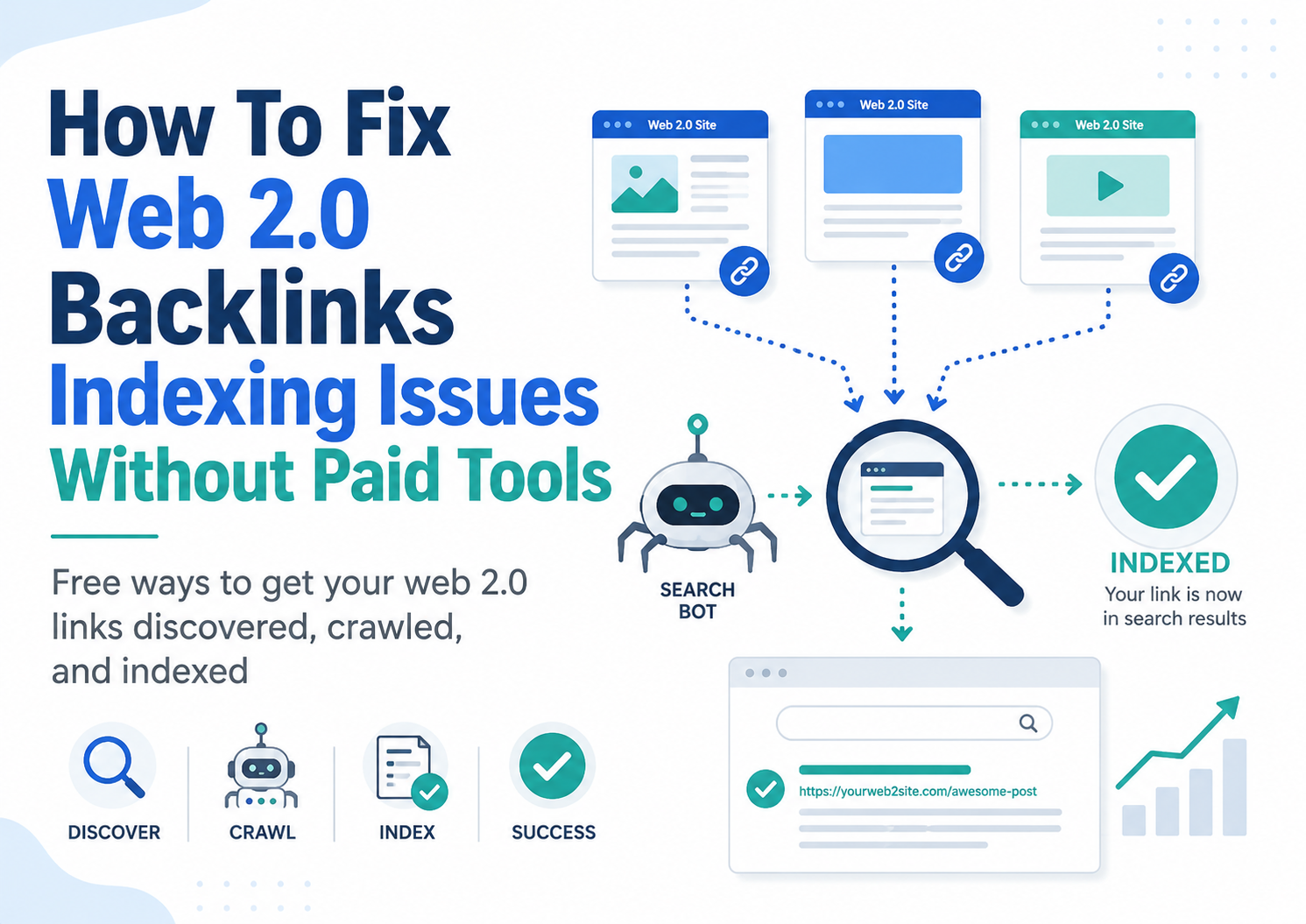
The web 2.0 page does not show in Google.
The backlink does not show in backlink checkers.
Your rankings do not move.
Then you start thinking the links are useless.
But that is not always true.
A backlink can exist on a page, but if Google has not discovered that page, crawled it, or decided to index it, then that backlink is not going to do much for your rankings.
That is why learning how to fix web 2.0 backlinks indexing issues without paid tools is so important.
You do not need expensive indexing software.
You do not need to pay for backlink indexing services.
You do not need to blast your web 2.0 URLs with thousands of junk links.
You just need to make your web 2.0 posts easier for Google to discover, better quality, and more useful.
In this guide, I am going to show you how to do it properly.
If you are new to this type of link building, you may also want to read my full guide on how to use web 2.0 sites for backlinks and my guide on web 2.0 backlinks.
Those posts will show you how to build the links.
This guide will show you what to do when those links are not indexing.
Quick Answer: How To Fix Web 2.0 Backlinks Indexing Issues Without Paid Tools
If your web 2.0 backlinks are not indexing, here is the quick fix.
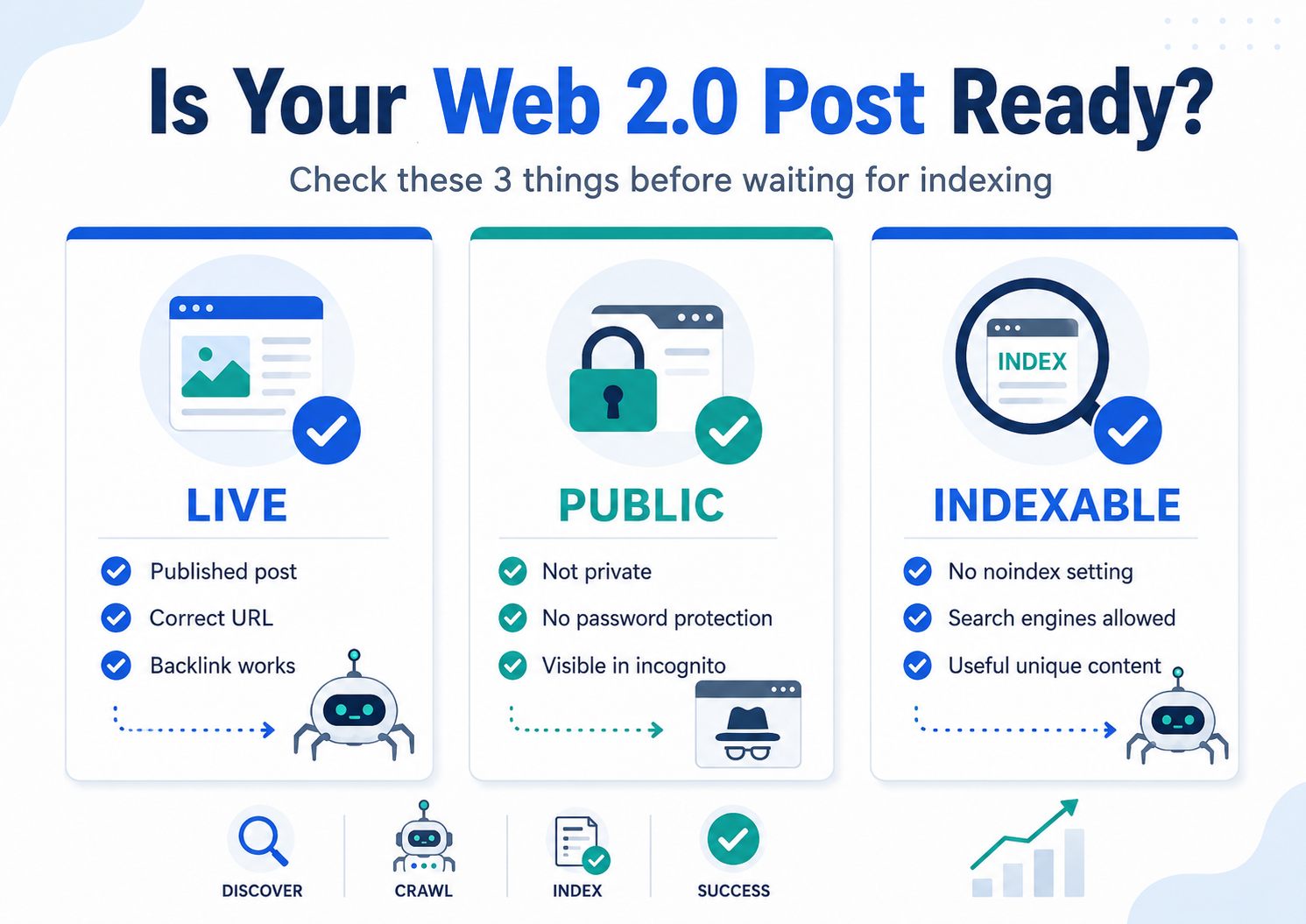
First, check that the web 2.0 post is live and public. Open the URL in an incognito browser and make sure it is not set to private, draft, password protected, or noindex.
Next, improve the web 2.0 content. Thin content is one of the biggest reasons web 2.0 backlinks do not index. Add more useful text, proper headings, images, internal links, and one relevant authority link.
Then create free crawl paths to the web 2.0 page. Link to it from another post on the same web 2.0 site, share it on social profiles, add it to a relevant free blog post, and use a web 2.0 link wheel if you know what you are doing.
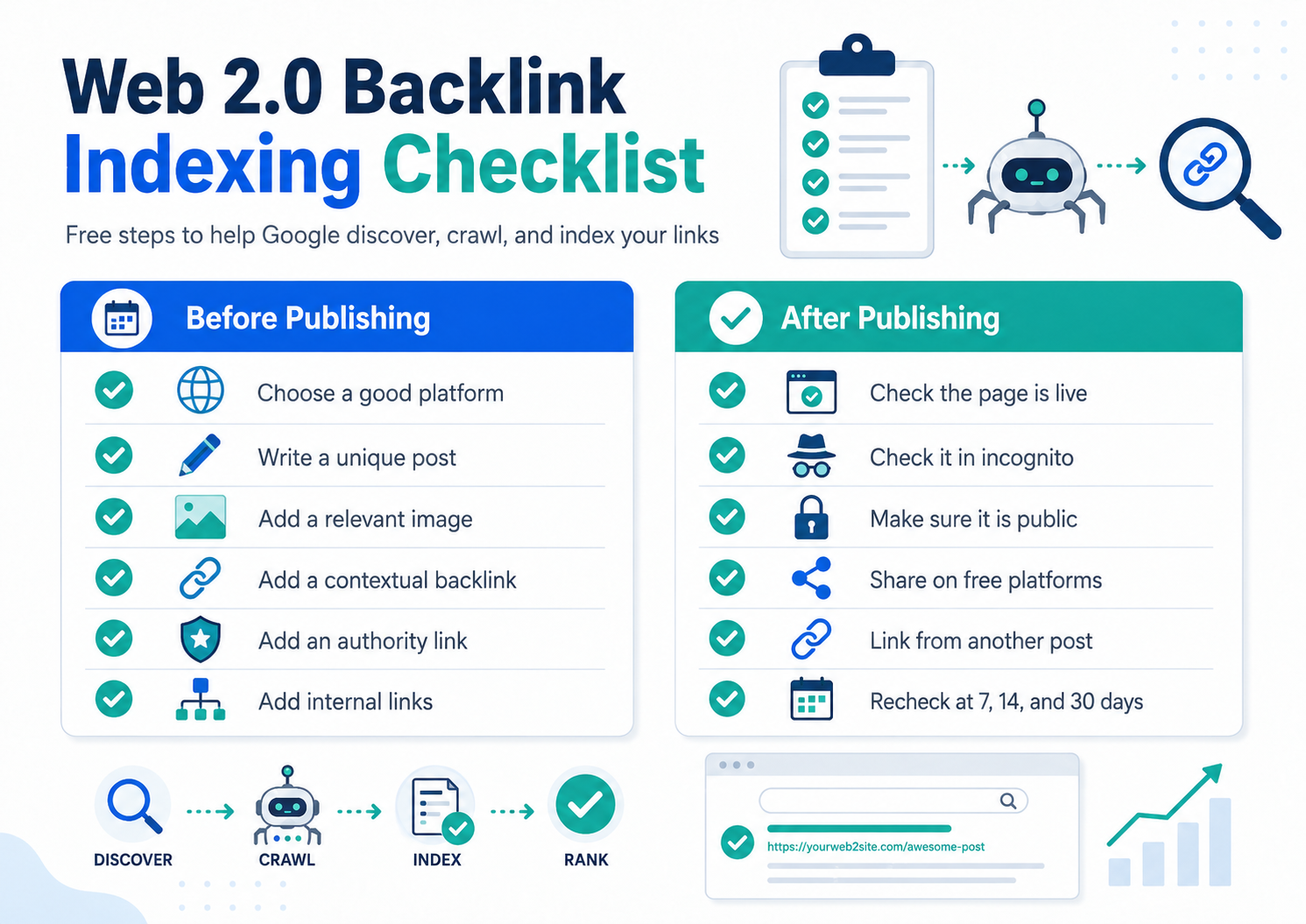
Here is the simple version:
- Make sure the web 2.0 page is published.
- Check the page is public.
- Make sure the backlink is live and clickable.
- Add more unique content to the post.
- Add images and proper alt text.
- Add internal links from other web 2.0 pages.
- Add one relevant external authority link.
- Share the URL on free social and profile sites.
- Check your money page in Google Search Console.
- Track indexing over 7, 14, and 30 days.
That is how you fix web 2.0 backlink indexing problems without paid tools.
Simple.
But you have to do it properly.
What Are Web 2.0 Backlinks?
Web 2.0 backlinks are backlinks created on free publishing platforms.
These are websites where you can create your own free blog, page, profile, or mini website and then publish content with a link back to your main website.
Common web 2.0 platforms include:
- WordPress.com
- Blogger
- Tumblr
- Wix
- Weebly
- Medium
- Google Sites
- Strikingly
- Site123
- Jimdo
- Yola
- LiveJournal
The reason SEOs use web 2.0 backlinks is because you control the page.
You can write the article.
You can choose the anchor text.
You can add images.
You can add internal links.
You can place your backlink inside the content.
When web 2.0 backlinks are built properly, they can help diversify your backlink profile and help Google discover your important pages.
If you want a wider list of free platforms, read my guide on free backlinks and my post on the best web 2.0 sites for building high-quality backlinks.
But there is one thing you need to understand.
A web 2.0 backlink only has real value if Google can find it.
If Google never discovers the page, the backlink is just sitting there doing nothing.
What Does It Mean When A Web 2.0 Backlink Is Not Indexed?
When people say their web 2.0 backlink is not indexed, they usually mean the web 2.0 page containing the backlink is not showing in Google search.
You can check this for free by searching Google like this:
site:yourweb2url.com/post-url
You can also search the full URL in quotation marks:
"https://yourweb2site.com/your-post-url"
Or you can copy a unique sentence from your article and search it in quotation marks.
If nothing comes up, the web 2.0 page may not be indexed.
However, there is a difference between crawling and indexing.
Crawling means Google has discovered the page and visited it.
Indexing means Google has stored the page in its index and may show it in search results.
This matters because Google can crawl a web 2.0 page but still decide not to index it.
That is where many people get confused.
They think:
“Google found my link, so it should rank.”
Not always.
Google can find the page and still decide the page is not good enough to keep in the index.
So the goal is not just to get the web 2.0 URL discovered.
The goal is to create a page that is worth indexing.
Why Web 2.0 Backlinks Do Not Index
There are many reasons web 2.0 backlinks do not index, but most of the time it comes down to quality and discovery.
Google has to find the page first.
Then it has to decide if the page is worth indexing.
If your web 2.0 post is thin, duplicated, badly written, stuffed with keywords, or only created for a backlink, it may not index.
Here are the most common reasons web 2.0 backlinks do not index:
- The web 2.0 page is still in draft mode.
- The web 2.0 site is set to private.
- The page is blocked from search engines.
- The post is too short.
- The content is copied from another website.
- The article is spun or low quality.
- The page has no internal links.
- The web 2.0 site has only one post.
- The backlink looks unnatural.
- The platform has poor indexing rates.
- The URL has no links pointing to it.
- The page has no images or supporting media.
- The page has no topical relevance.
- Google crawled it but chose not to index it.
- The web 2.0 platform deleted or restricted the page.
Most people build web 2.0 backlinks too quickly.
They create a free account, add one short post, drop one exact match anchor backlink, and move on.
That is not the best way to do it.
You want the web 2.0 site to look like a small real website.
It does not need to be huge.
But it should look useful.
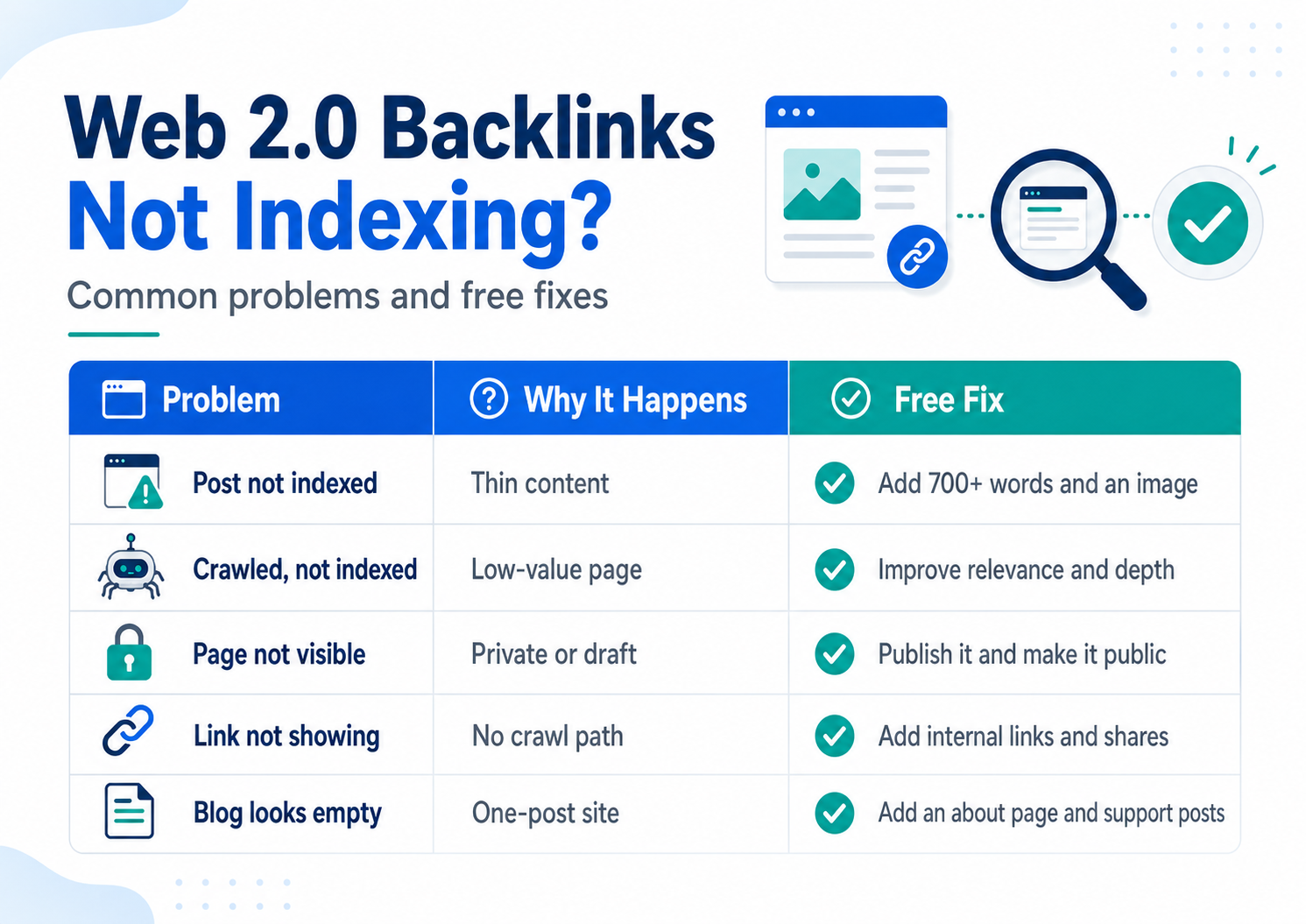
Web 2.0 Backlinks Not Indexing: Problem And Fix Table
Here is a simple troubleshooting table you can use.
| Problem | Why It Happens | Free Fix |
|---|---|---|
| Web 2.0 post not indexed | Google has not found the page yet | Add internal links and share the URL on free platforms |
| Page crawled but not indexed | Content is too weak or duplicated | Improve the content, add images, and make it more useful |
| Backlink not showing in checkers | Backlink tools have not crawled it | Check Google manually and give it more time |
| Web 2.0 page not visible | Post is private or in draft mode | Publish the page and check it in incognito mode |
| Google ignores the page | Page looks low quality | Add unique content, internal links, media, and topical relevance |
| Exact URL not showing in Google | Canonical or platform issue | Check if the platform created another URL version |
| Link not clickable | Bad formatting or editor issue | Edit the post and test the backlink manually |
| Web 2.0 blog looks empty | Only one post exists | Add supporting posts and an about page |
| Page dropped from Google | Low quality or inactive site | Update the post and add fresh internal links |
This is the kind of simple SEO work that fixes most web 2.0 indexing issues.
No paid tools required.
Step 1: Check The Web 2.0 Page Is Live
Before doing anything else, check the page.
Open the web 2.0 post in an incognito browser.
You want to make sure the page is actually live for users and search engines.
Check these things:
- Does the URL open?
- Is the post published?
- Is the page public?
- Can you see the content without logging in?
- Is the backlink visible?
- Is the backlink clickable?
- Does the backlink point to the correct URL?
- Does the page return a 404 error?
- Has the platform removed the post?
This is basic, but it catches a lot of problems.
Some people build a web 2.0 post and forget to hit publish.
Others publish the site but not the blog post.
Some platforms make the site visible to you while logged in, but not visible to the public.
If Google cannot access the page, it cannot index the page.
Start with the simple checks first.
Step 2: Make Sure The Web 2.0 Site Is Not Private Or Noindex
Some web 2.0 platforms have privacy settings that stop search engines from indexing your content.
Look inside the platform settings for options like:
- Private site
- Hide from search engines
- Discourage search engines
- Password protection
- Coming soon mode
- Noindex
- Block crawlers
- Do not show in search
If any of these are turned on, turn them off.
You want the web 2.0 site to be public.
You also want the post URL to be accessible without a login.
Some platforms are better than others for this. Blogger, WordPress.com, Google Sites, Wix, Weebly, Tumblr, and Medium all have different settings, so check each platform carefully.
If the page is blocked by a setting, no backlink indexing tool is going to fix the real problem.
Step 3: Improve The Web 2.0 Content
This is the biggest fix.
If the web 2.0 page is low quality, improve it.
Do not publish 300 words of weak content and expect Google to index it.
Make the post useful.
For most web 2.0 posts, I would aim for at least 700 to 1,200 words.
If the keyword is competitive or the post is important, go longer.
A good web 2.0 post should include:
- A keyword-relevant title
- A short introduction
- Helpful subheadings
- Original content
- One or two images
- One contextual backlink to your site
- One authority external link
- One or two internal links
- A short conclusion
You do not need to write a masterpiece.
But the page should have a reason to exist beyond the backlink.
For example, if your money page is about gutter cleaning in East Sussex, do not create a web 2.0 post called:
“Best Gutter Cleaning East Sussex”
with 300 words and a link.
Create a more useful post like:
“Why Gutters Block Faster In Coastal Areas”
or:
“Signs Your Gutters Need Cleaning Before Winter”
Then place your backlink naturally inside the article.
That looks better.
It reads better.
And it gives Google a better reason to index the page.
Step 4: Make The Web 2.0 Post Topically Relevant
Relevance matters.
If your target page is about SEO services, your web 2.0 post should be about SEO, backlinks, rankings, websites, or digital marketing.
If your target page is about cleaning services, your web 2.0 post should be about cleaning, home maintenance, property care, or local service tips.
Do not create random content just to insert a backlink.
A backlink from a relevant page is much better than a backlink from a random page.
Here is a simple example.
Bad web 2.0 topic:
“Top 10 Travel Destinations In Europe”
Backlink target:
“Monthly SEO Services”
That makes no sense.
Better web 2.0 topic:
“How Monthly SEO Services Help Small Businesses Grow Online”
That makes sense.
The content supports the backlink.
The anchor text feels natural.
The page has topical relevance.
This is how you should think when building web 2.0 backlinks.
Step 5: Add Images And Media
Plain text pages can index, but pages with images and useful formatting usually look better.
Add at least one image to your web 2.0 post.
You can use:
- A featured image
- A screenshot
- A simple graphic
- A relevant stock image
- A YouTube video embed
- A map embed for local SEO
- A small comparison table
Rename the image before uploading it.
Instead of:
IMG_1038.jpg
Use:
web-2-0-backlink-indexing.jpg
or:
gutter-cleaning-east-sussex.jpg
Add simple alt text.
Good alt text:
Web 2.0 backlink indexing checklist
Bad alt text:
web 2.0 backlinks indexing backlinks index web 2.0 backlinks free indexing backlinks
Keep it natural.
Image SEO is simple.
Use a relevant file name.
Use natural alt text.
Do not keyword stuff.
Step 6: Use Natural Anchor Text
Anchor text is the clickable text in your backlink.
If every web 2.0 backlink uses the same exact match keyword, it can look unnatural.
You should mix up your anchor text.
Use:
- Brand anchors
- Naked URLs
- Generic anchors
- Partial match anchors
- Page title anchors
- Natural sentence anchors
For example, if your target page is about web 2.0 backlinks indexing, you could use:
Brand anchor:
Rankers Paradise
Naked URL:
https://rankersparadise.com/
Generic anchor:
read the full guide
Partial match anchor:
fix web 2.0 indexing issues
Page title anchor:
How To Fix Web 2.0 Backlinks Indexing Issues Without Paid Tools
Natural anchor:
this guide explains how to get web 2.0 backlinks discovered
Do not use exact match anchors every time.
You can use them sometimes, but keep the backlink profile natural.
If you want more backlink building ideas, read the do it yourself SEO guide.
Step 7: Build Out The Web 2.0 Site
A one-page web 2.0 site with one backlink looks weak.
It can still work, but it is not ideal.
A better method is to build out the web 2.0 property a little.
Add:
- Homepage
- About page
- Contact page
- Main blog post
- Supporting blog post
- Another supporting blog post
You do not need to build a huge site.
But you want it to look like a real mini website.
Example structure:
Homepage
→ About page
→ Blog post 1
→ Blog post 2
→ Main backlink post
→ Supporting blog post linking to the main backlink post
This gives search engines more pages to crawl.
It also gives you a chance to internally link to the backlink post.
This is free.
It just takes a bit more time.
Most people will not do this.
That gives you an advantage.
Step 8: Add Internal Links On The Web 2.0 Site
Internal links help Google discover pages.
If your web 2.0 backlink post is not linked from anywhere, it may not get crawled quickly.
Add internal links from:
- The web 2.0 homepage
- The about page
- Other blog posts
- Category pages
- Menu navigation if possible
Use natural internal anchor text like:
- Read more here
- Related guide
- More SEO tips
- Backlink indexing guide
- Web 2.0 SEO tutorial
Do not overdo it.
One or two internal links pointing to your backlink post can help.
If you are building several web 2.0 sites, you can also use a controlled structure like a web 2.0 link wheel.
I have a full tutorial here: Web 2.0 Link Wheel Tutorial.
A link wheel can help Google discover your web 2.0 pages because the pages link together in a crawlable structure.
But do not make it spammy.
Keep it clean.
Keep it relevant.
Step 9: Create Free Crawl Paths
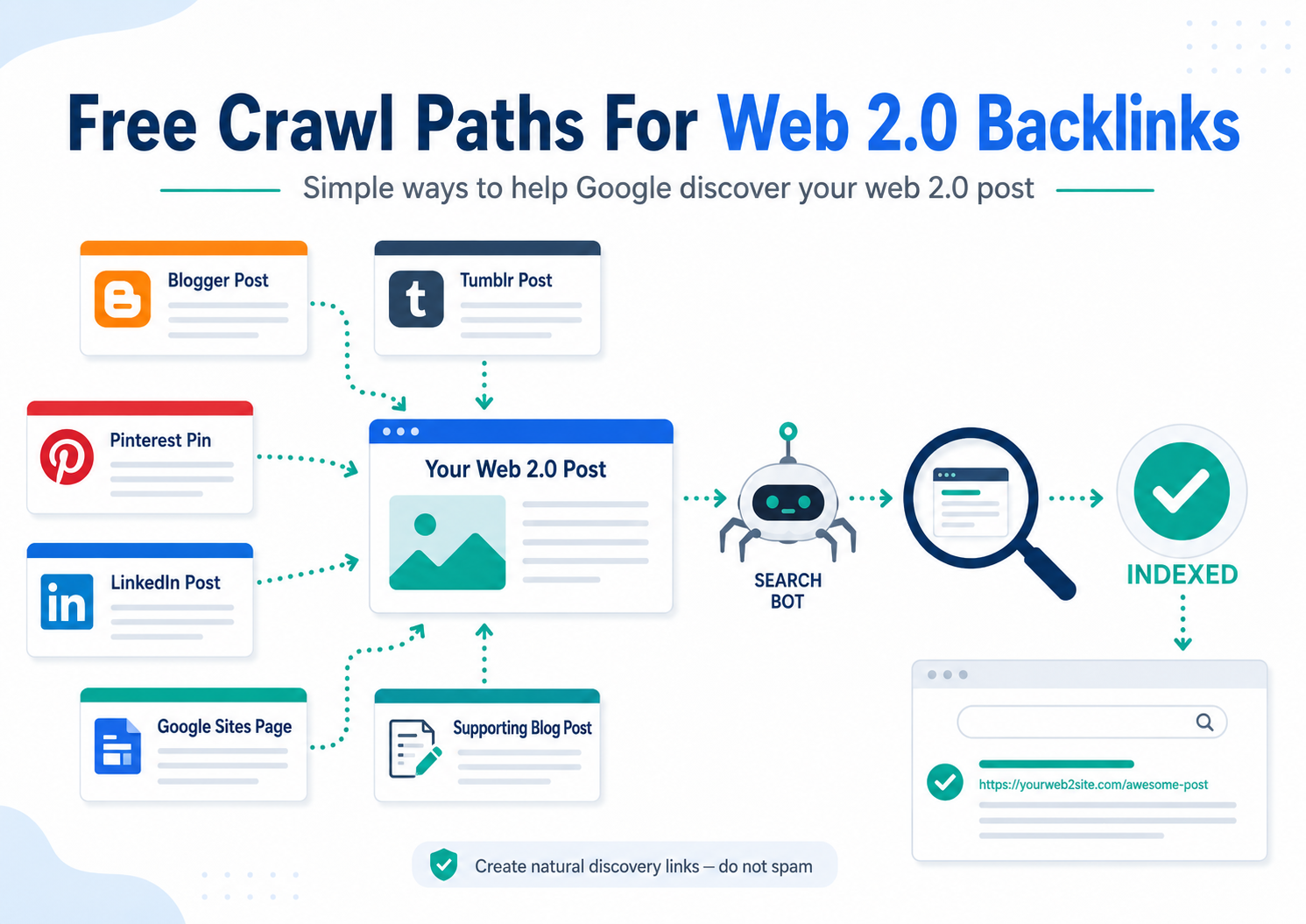
Google discovers pages by following links.
If nothing links to your web 2.0 post, Google may take longer to find it.
You can create free crawl paths by sharing the web 2.0 URL on other platforms.
Free places to share your web 2.0 post include:
- X / Twitter
- Facebook page
- Tumblr
- Blogger
- Medium
- Reddit profile
- Quora profile
- About.me
- Google Sites
- Scoop.it
- Mix
- Your own blog if relevant
Do not spam.
Do not blast the URL everywhere.
Just create a few natural discovery links.
For example, you can publish a short post on Blogger that links to your WordPress.com web 2.0 post.
Then publish a Tumblr post that links to the Blogger post.
Then share the main web 2.0 URL on Pinterest.
That creates crawl paths.
No paid tools needed.
Step 10: Use Google Search Console For Your Own Site
You usually cannot inspect a third-party web 2.0 URL in your own Google Search Console unless you control that property.
But you can inspect your own money page.
This is important.
Before worrying about your web 2.0 backlinks, make sure your target page is indexed.
Go into Google Search Console and use the URL Inspection tool for your own page.
Check:
- Is the money page indexed?
- Is it crawlable?
- Is the canonical URL correct?
- Is it blocked by robots.txt?
- Is it marked noindex?
- Is the page included in your sitemap?
- Is Google seeing the correct version of the page?
If your money page is not indexed, fix that first.
There is no point building backlinks to a page that Google has not indexed properly.
Google has its own guide to the URL Inspection tool here:
https://support.google.com/webmasters/answer/9012289
You can also read Google’s crawling and indexing documentation here:
https://developers.google.com/search/docs/crawling-indexing
This is useful if you want to understand how Google discovers and indexes pages.
Step 11: Check For Canonical Problems
Canonical issues can confuse people.
Sometimes you search for the exact URL and nothing shows, but Google has selected another version of the URL as the canonical.
This is more common on your own website than on web 2.0 sites, but it can still happen on platforms that create multiple URL versions.
For example:
- HTTP version
- HTTPS version
- URL with trailing slash
- URL without trailing slash
- Mobile version
- Tag or category version
- Duplicate post version
If Google thinks another URL is the main version, the one you are checking may not show the way you expect.
For your own website, Google Search Console can help you inspect canonical issues.
Google’s canonical guidance is here:
https://developers.google.com/search/docs/crawling-indexing/consolidate-duplicate-urls
And Google’s canonical troubleshooting page is here:
https://developers.google.com/search/docs/crawling-indexing/canonicalization-troubleshooting
For web 2.0 sites, you may not have full control, but you can still make sure you are sharing and linking to the clean final published URL.
Step 12: Make Your Links Crawlable
This sounds obvious, but it matters.
Your backlink needs to be a proper clickable HTML link.
Google’s own link best practices explain that links help Google find pages and understand connected content:
https://developers.google.com/search/docs/crawling-indexing/links-crawlable
In simple terms, do not just paste plain text.
Make sure the backlink is clickable.
Bad:
example.com/best-seo-guide
Better:
<a href="https://example.com/best-seo-guide/">best SEO guide</a>
Most web 2.0 editors handle this for you, but always test the link after publishing.
Click it.
Make sure it opens the correct page.
Make sure it does not redirect somewhere strange.
Make sure it is not broken.
Step 13: Avoid Spammy Indexing Blasts
I know it is tempting.
You build a batch of web 2.0 backlinks, they do not index, and then you want to throw them into some indexing tool and force the issue.
Sometimes paid indexing tools can get URLs crawled.
But you do not need them for this method.
And you definitely do not need spam blasts.
Avoid:
- Automated comment spam
- Thousands of junk profile links
- Hacked links
- Fake traffic bots
- Low quality ping blasts
- Mass directory spam
- Auto-generated pages
- Duplicate content networks
These methods can make your web 2.0 URLs look worse.
Google has spam policies that cover manipulative tactics and low-quality spam here:
https://developers.google.com/search/docs/essentials/spam-policies
If you are building links, be smart.
The cleaner method is to improve the web 2.0 page, make it discoverable, and build a few natural crawl paths.
That is much better than throwing junk at the URL.
Step 14: Use A Web 2.0 Link Wheel Carefully
A web 2.0 link wheel is when several web 2.0 properties link together.
For example:
WordPress.com links to Blogger.
Blogger links to Tumblr.
Tumblr links to Wix.
Wix links to Weebly.
Weebly links back to your money site.
The idea is to help search engines discover the whole set of links.
It can also pass relevance through the network if done carefully.
I have a full guide here:
A link wheel can help with indexing because you are not leaving each web 2.0 page isolated.
But do not overdo it.
Do not create a giant obvious footprint.
Do not use the same anchor text everywhere.
Do not use the same content everywhere.
Keep each web 2.0 property unique.
The goal is to create a natural discovery structure, not a spam network.
Step 15: Do Not Use The Same Article Everywhere
This is one of the biggest mistakes.
People write one article and publish it on 10 web 2.0 sites.
That is not a good strategy.
Each web 2.0 post should be unique.
You can cover the same topic, but change the angle.
Example topic: backlink indexing.
Web 2.0 post 1:
“Why Web 2.0 Backlinks Do Not Index”
Web 2.0 post 2:
“Free Ways To Get Backlinks Crawled”
Web 2.0 post 3:
“How To Build Better Web 2.0 Blogs For SEO”
Web 2.0 post 4:
“Common Backlink Indexing Mistakes”
Web 2.0 post 5:
“How Internal Links Help Google Find New Pages”
Each post supports the same overall topic, but the content is different.
That is much better than copying and pasting the same post everywhere.
Step 16: Add Authority External Links
A web 2.0 post with only one link to your money page can look self-serving.
Add one or two useful external links to authority sites.
For an SEO article, you could link to:
- Google Search Central
- Google Search Console Help
- Moz
- Ahrefs blog
- Search Engine Journal
- Search Engine Land
Do not add external links just for the sake of it.
Add them where they help the reader.
For example, if you mention crawling and indexing, link to Google’s crawling and indexing guide.
If you mention crawlable links, link to Google’s link best practices.
This makes the post more useful.
It also makes the page look more like a real article and less like a backlink holder.
Step 17: Keep Your Web 2.0 Sites Active
If you create a web 2.0 site, publish one post, and never touch it again, it can look dead.
Some platforms may also remove low quality or inactive blogs over time.
If you have web 2.0 sites that are helping your rankings, keep them active.
You can:
- Add a new post monthly
- Update old posts
- Add fresh images
- Add internal links
- Improve the homepage
- Fix broken links
- Add a new supporting article
You do not need to spend hours every week.
Just keep the best properties alive.
A web 2.0 site with activity has a better chance of being crawled again.
And if it gets crawled again, Google has another chance to discover your backlink.
Step 18: Fix The Web 2.0 Homepage
The homepage of your web 2.0 property matters.
A lot of people ignore it.
They create the account, publish one blog post, and leave the homepage empty.
Do not do that.
Add content to the homepage.
Your web 2.0 homepage should include:
- A short introduction
- A relevant image
- A few sentences about the topic
- Links to your main posts
- A simple navigation menu
- Maybe a short about section
If the homepage gets indexed, it can help Google find the internal posts.
This is especially useful if your backlink is inside a blog post that is not being discovered quickly.
Step 19: Use Your Own Website To Help Discovery
If you have your own blog, you can sometimes link to your best web 2.0 posts from a relevant resources page.
Do this carefully.
Do not create a page called “My Backlinks” and list all your web 2.0 URLs.
That is not smart.
But you can create useful supporting resources where it makes sense.
For example, if you have a blog post about free SEO tools, you could mention a useful guide you published on Medium or Blogger.
If it helps the reader, it is fine.
If it only exists to manipulate crawling, be careful.
Keep it natural.
Step 20: Track Everything In A Free Google Sheet
You do not need paid SEO tools to track web 2.0 backlink indexing.
Use Google Sheets.
Create columns like:
- Platform
- Login email
- Web 2.0 URL
- Post URL
- Target URL
- Anchor text
- Date published
- Date checked
- Indexed yes/no
- Notes
- Ranking movement
This is simple, but it helps a lot.
After a few weeks, you will see which platforms index best.
You will also see which types of content work best.
Then you can stop wasting time on platforms that do not index well.
SEO is testing.
Track the data.
My 30-Day Free Web 2.0 Backlink Indexing Plan
Here is a simple 30-day plan you can follow.
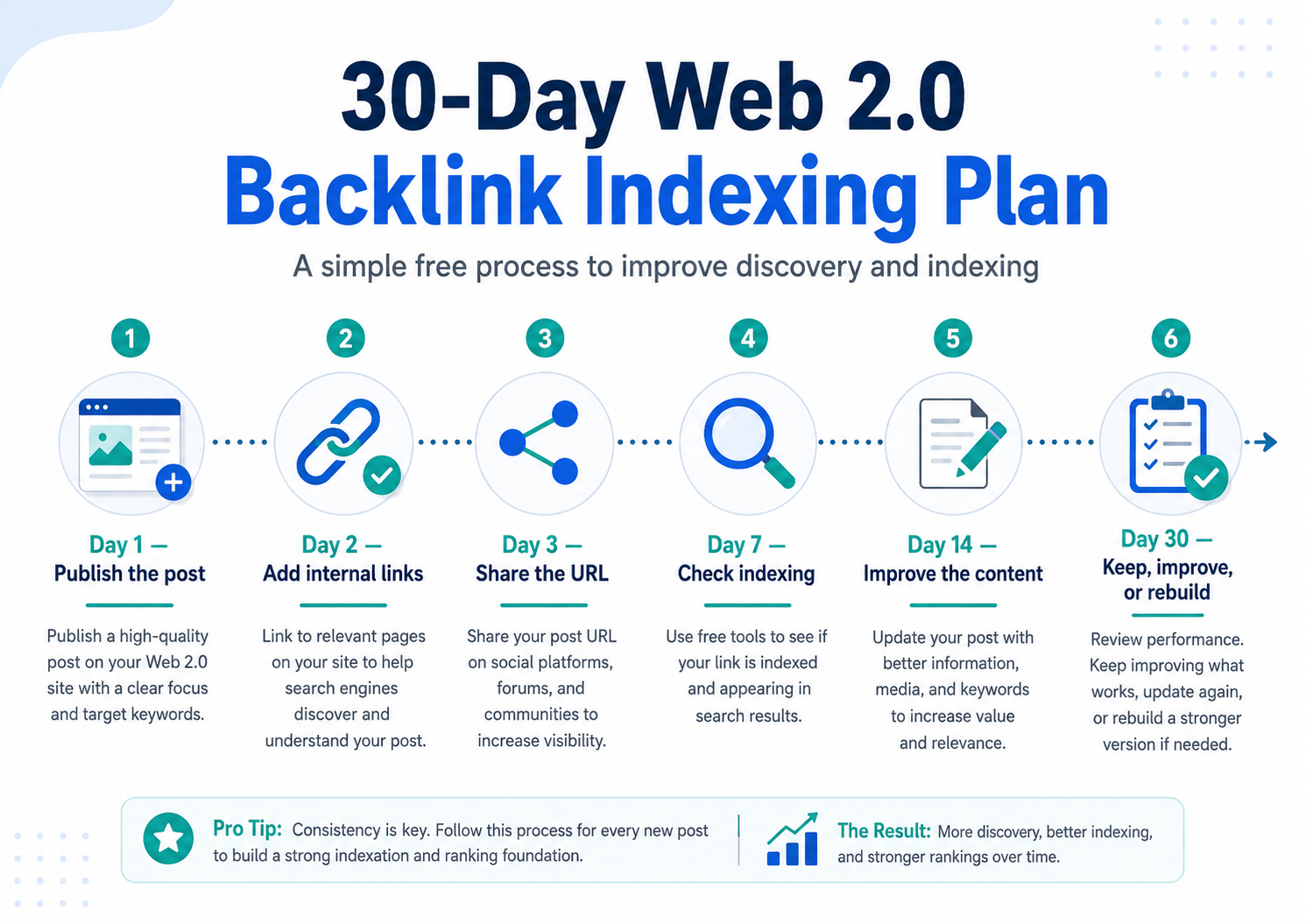
Day 1: Publish The Web 2.0 Post
Create the web 2.0 post and make sure it is unique, useful, and relevant.
Add:
- 700+ words
- One image
- One contextual backlink
- One authority link
- Proper headings
- Natural anchor text
Then publish the post.
Open the URL in incognito mode and check everything works.
Day 2: Add Internal Links
Add an internal link from the web 2.0 homepage to the post.
If you have another post on the same web 2.0 site, link from that post too.
You want Google to have a clear path to the page.
Day 3: Share The URL
Share the web 2.0 post on a few free platforms.
Do not spam.
Use a few natural shares.
Pinterest, X, Tumblr, Blogger, LinkedIn, and Google Sites can all help create discovery paths.
Day 7: Check Indexing
Search Google using:
site:your-web-2-url
or:
"full web 2.0 post URL"
If the page is indexed, add the date to your tracking sheet.
If not, do not panic.
Move to the next step.
Day 10: Improve The Post
If the post is not indexed, improve it.
Add another 300 to 500 words.
Add another image.
Add a table.
Add an FAQ.
Add another internal link.
Make the page better.
Day 14: Add Another Supporting Link
Create another free post on a different web 2.0 or social platform and link to the original web 2.0 page.
Again, do not spam.
Just create a clean crawl path.
Day 21: Check Again
Search Google again.
If indexed, great.
If not, decide whether the platform is worth more time.
Some platforms simply do not index well.
Day 30: Keep, Improve, Or Rebuild
After 30 days, make a decision.
If the post is indexed, keep the property active.
If it is not indexed but the platform usually works, improve the content again.
If the platform never indexes your posts, move on.
Do not waste time on dead platforms.
Best Free Tools For Web 2.0 Backlink Indexing
You do not need paid tools for this.
Here are the free tools I would use.
Google Search
Use Google to check whether the web 2.0 post is indexed.
Search the URL, use the site command, or search a unique sentence from the article.
Google Search Console
Use this for your own website.
Check whether your target page is indexed and crawlable.
URL Inspection tool:
https://support.google.com/webmasters/answer/9012289
Google Sheets
Track every backlink you build.
This is boring, but it works.
Incognito Browser
Use incognito mode to check if the web 2.0 post is public.
If you can only see the page while logged in, there is a problem.
Free Broken Link Checkers
Use a free broken link checker to make sure your backlink is live.
Google’s Link Best Practices
Read Google’s guide on crawlable links:
https://developers.google.com/search/docs/crawling-indexing/links-crawlable
This helps you understand how Google finds links.
How Many Web 2.0 Backlinks Do You Need?
This depends on the keyword.
For a low competition keyword, a small number of good indexed web 2.0 backlinks may be enough to see movement.
For a medium competition keyword, you will need more links, stronger content, better relevance, and more patience.
For a hard keyword, web 2.0 backlinks alone are probably not enough.
Do not think only about quantity.
Think about quality and indexing.
Five indexed web 2.0 backlinks from decent pages are better than 50 weak web 2.0 backlinks that Google never finds.
If you need more link building ideas, read:
How To Create Backlinks To Your Site For Free Step-By-Step
and:
Those guides will give you more places to build links without spending money.
Do Web 2.0 Backlinks Need To Be Indexed To Work?
This is where people argue.
Some SEOs say the web 2.0 page must be indexed to pass value.
Others say the page only needs to be crawled and discovered.
Here is how I look at it.
If Google crawls the page and finds the backlink, that can still be useful.
But if Google indexes the page, that is usually a stronger sign that Google considers the page worth keeping.
So I prefer web 2.0 backlinks to be indexed.
At the very least, I want Google to discover and crawl them.
That is why internal links, social shares, and link wheels can help.
The goal is to make sure the backlink does not sit on a dead page that no search engine ever sees.
Common Mistakes That Stop Web 2.0 Links From Indexing
Here are the biggest mistakes to avoid.
Mistake 1: Publishing Thin Content
A short, weak post with one backlink is not enough.
Make the content useful.
Mistake 2: Using Duplicate Content
Do not copy the same article across every platform.
Write unique posts.
Mistake 3: Using Exact Match Anchors Every Time
This looks unnatural.
Mix your anchors.
Mistake 4: Ignoring Internal Links
If nothing links to your web 2.0 post, Google may not find it quickly.
Add internal links.
Mistake 5: Not Checking Privacy Settings
A private page will not index.
Check the settings.
Mistake 6: Building On Weak Platforms
Some platforms index better than others.
Track your results.
Mistake 7: Expecting Instant Results
Indexing can take time.
Give it 7, 14, and 30 days.
Mistake 8: Using Spammy Indexing Tools
Do not blast your URLs with junk.
Use cleaner methods first.
Web 2.0 Backlink Indexing Checklist
Use this checklist every time you build a web 2.0 backlink.
Before publishing:
- Choose a good web 2.0 platform.
- Create a relevant site name.
- Add a homepage intro.
- Add an about page.
- Write a unique post.
- Use proper headings.
- Add at least one image.
- Add one contextual backlink.
- Use natural anchor text.
- Add one authority external link.
- Add internal links.
After publishing:
- Check the page in incognito mode.
- Make sure the backlink works.
- Check the URL is public.
- Share the page on a few free platforms.
- Link to it from another web 2.0 page.
- Track it in Google Sheets.
- Check indexing after 7 days.
- Improve the post if needed.
- Check again after 14 days.
- Review after 30 days.
This is not complicated.
But most people skip half the steps.
That is why their web 2.0 backlinks do not index.
My Simple Method For Fixing A Non-Indexed Web 2.0 Backlink
If I have a web 2.0 backlink that is not indexed, I do this:
First, I check the URL is live.
Then I check the page is public.
Then I make sure the backlink is clickable.
Then I improve the content.
Then I add an image.
Then I add an internal link from the homepage or another post.
Then I share the URL on a few free platforms.
Then I wait.
If it still does not index after a few weeks, I either improve it again or rebuild the link on a better platform.
That is it.
No paid tools.
No spam.
No panic.
Just better content and better discovery.
My Honest Take On Web 2.0 Backlink Indexing
Here is the truth.
Most web 2.0 backlinks do not fail because web 2.0s are dead.
They fail because people build them like throwaway links.
They create a free blog, add one weak post, drop one exact match backlink, and then wonder why Google does not care.
That is not a web 2.0 strategy.
That is just link dropping.
If you want web 2.0 backlinks to index, treat the page like a real page.
Give it useful content.
Add an image.
Add internal links.
Make the site public.
Build a few crawl paths.
Then track what happens.
You do not need paid tools to do this.
You need a better process.
A few indexed web 2.0 backlinks from useful, relevant pages are worth far more than a pile of weak links sitting on pages Google never finds.
That is why I always say this: build fewer links, but build them properly.
Final Thoughts
If your web 2.0 backlinks are not indexing, the first thing to do is slow down and check the basics.
Is the page live?
Is it public?
Is the backlink clickable?
Is the content good enough?
Is anything linking to the page?
Most indexing problems are caused by weak content or poor discovery.
The fix is not to throw paid tools at the problem.
The fix is to make the web 2.0 page better and easier to find.
Build the web 2.0 property like a small real site.
Add useful content.
Add images.
Add internal links.
Use natural anchor text.
Share the URL on free platforms.
Track what happens.
That is how to fix web 2.0 backlinks indexing issues without paid tools.
And once you know which platforms index best, you can build smarter links, waste less time, and get better results from your free backlinks.
Frequently Asked Questions
Why are my web 2.0 backlinks not indexing?
Your web 2.0 backlinks may not be indexing because the page is too thin, private, duplicated, blocked from search engines, or not linked from anywhere. Improve the content, check the settings, and create free crawl paths to the page.
How do I fix web 2.0 backlinks indexing issues without paid tools?
You can fix web 2.0 backlinks indexing issues without paid tools by making the post public, improving the content, adding images, using internal links, sharing the URL on free platforms, and tracking indexing manually with Google search.
How can I check if a web 2.0 backlink is indexed?
Search Google using the site command or search the full web 2.0 post URL in quotation marks. You can also search a unique sentence from the article.
Do web 2.0 backlinks need to be indexed?
Ideally, yes. If the web 2.0 page is indexed, it is a stronger sign that Google has discovered and stored the page. At minimum, you want Google to crawl the page and find the backlink.
How long does it take for web 2.0 backlinks to index?
Some web 2.0 backlinks index in a few days. Others can take a few weeks. Some may never index if the page is low quality or the platform is weak.
Can I use Google Search Console to index web 2.0 backlinks?
You can use Google Search Console for websites you own or verify. In most cases, you cannot inspect or request indexing for third-party web 2.0 URLs unless you control the property.
Are paid indexing tools needed?
No. Paid tools are not required. You can improve indexing naturally by creating better content, adding internal links, using free social shares, and building crawl paths.
What is the best free method to index web 2.0 backlinks?
The best free method is to improve the web 2.0 post and link to it from other crawlable pages. Internal links, free social shares, and supporting web 2.0 posts can help Google discover the URL.
Should I use exact match anchor text on web 2.0 backlinks?
You can use exact match anchor text sometimes, but do not use it on every backlink. Mix in brand anchors, naked URLs, generic anchors, partial match anchors, and natural anchors.
What should I do if a web 2.0 post never indexes?
If a web 2.0 post never indexes, improve the content, add more internal links, share it naturally, and check again. If it still does not index after 30 days, rebuild the backlink on a better platform.
Are web 2.0 backlinks still useful for SEO?
Web 2.0 backlinks can still be useful when they are built properly, placed inside relevant content, and discovered by Google. Thin, spammy, non-indexed web 2.0 backlinks are unlikely to help much.
What Rankers Paradise guides should I read next?
Read these guides next: