
If you’ve been building links for a while, you’ve probably heard the term “Web 2.0” thrown around as the holy grail of free, high-authority backlinks. And you’re right—they work. But there is a flip side that most SEOs don’t talk about. If you are blindly building these links, or if you’ve hired a “cheap” link-building service, your site might be riddled with spammy Web 2.0 backlinks that are actually holding your rankings back.
In this guide, I am going to show you exactly how to identify spammy Web 2.0 backlinks in your backlink profile and clean up your site’s authority. If you want to rank #1 on Google in 2026, you cannot afford to have a link profile full of “junk.”
What is a Spammy Web 2.0 Backlink?
A Web 2.0 site is a free platform like Tumblr, Wix, or Weebly where you can host a blog. These sites have high domain authority, which is why we use them for SEO.
However, a spammy Web 2.0 is one that Google has flagged as low-value. This usually happens because the site has:
-
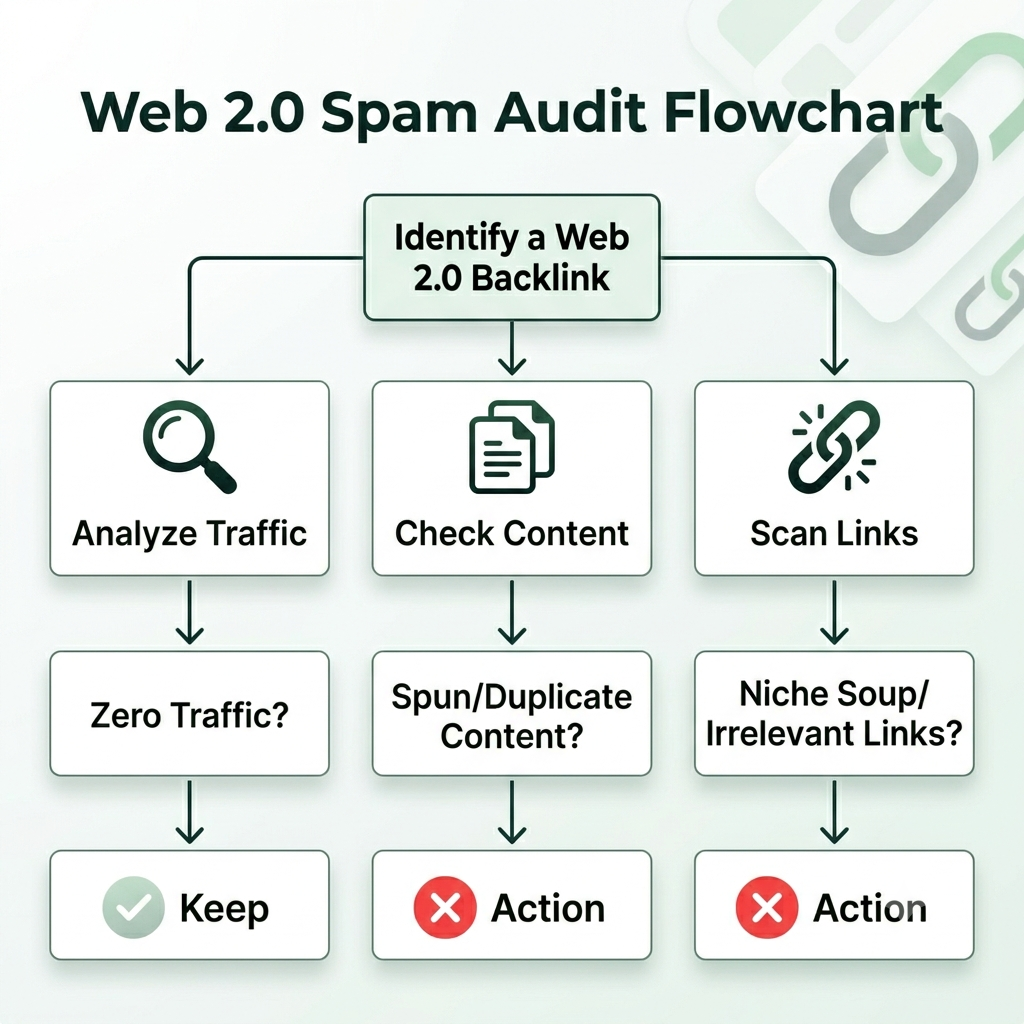
Zero traffic: If nobody visits it, Google doesn’t value the link.
-
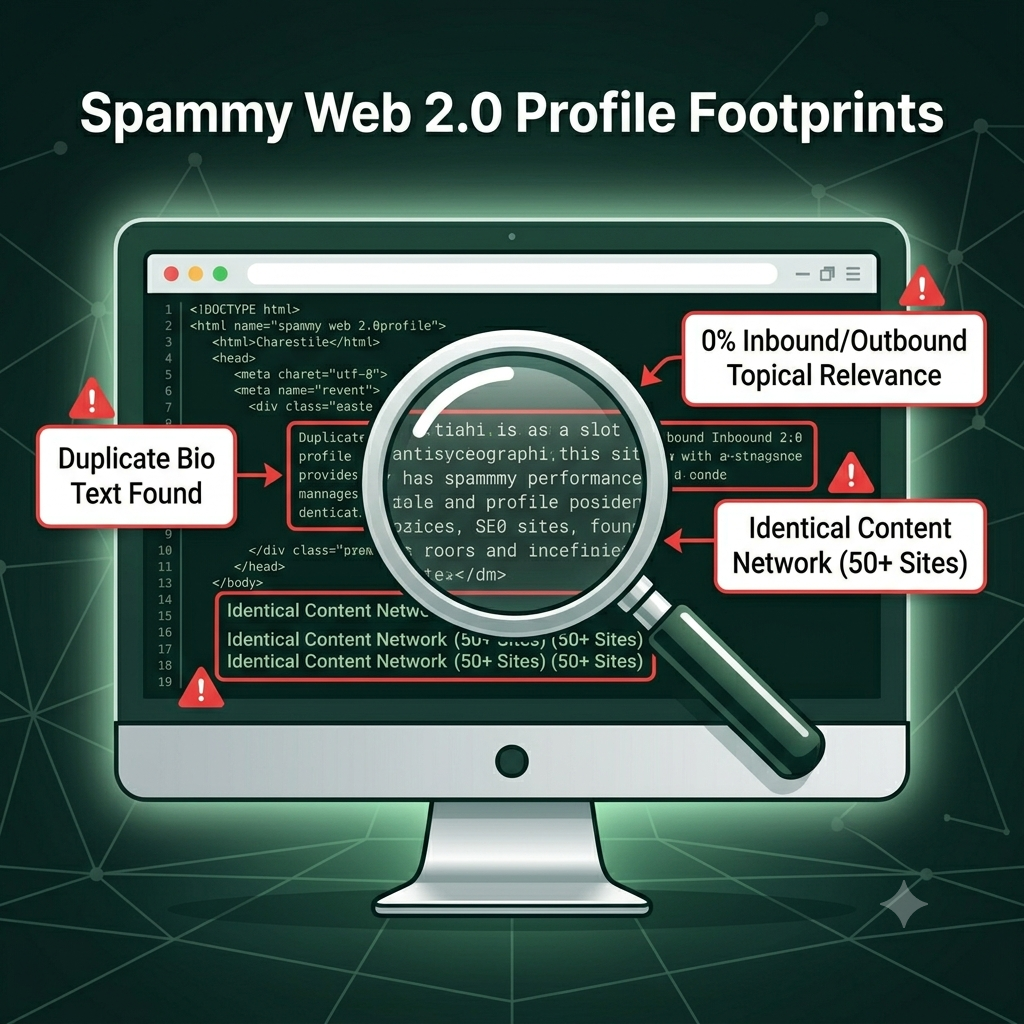
Identical Content: If you see 10 different sites using the exact same “About Me” and post content, that is a huge red flag.
-
No Outbound Relevance: The site links to hundreds of random sites in different niches (casinos, pills, marketing, etc.) without any topical connection.
If you’re interested in how to build these correctly without running into these issues, you can check out my guide on how to use Web 2.0 sites for backlinks.
Why You Must Audit Your Web 2.0 Backlinks
If you have built thousands of Web 2.0 links and your rankings have plateaued or dropped, it is time for a forensic audit. Google’s algorithm is smarter now than it was even a year ago. It looks for patterns. If your backlink profile shows hundreds of links from low-quality Web 2.0s with zero topical relevance, Google will treat those links as “spam.”
You want quality over quantity. Removing the “junk” is often the fastest way to get your rankings moving up again. For those just starting out, my Do-It-Yourself SEO Guide breaks down the fundamentals of maintaining a healthy link profile.
How to Audit Your Profile: The Step-by-Step Blueprint
You don’t need expensive tools to do this. You can do a manual audit that is more accurate than any automated software.
1. Identify the “Footprints”
Head over to Google Search Console or use a free tool like SEO SpyGlass to download your backlink report. Open them up and check for these three footprints:
-
The “Abandoned” Sign: Does the blog have a post from 2022 and nothing else? If it hasn’t been updated, it’s a dead link.
-
The “Duplicate Content” Pattern: Copy a paragraph from the Web 2.0 post and search it in Google in quotes (e.g., “insert copied paragraph here”). If you see 50 other sites with that same text, that entire network is spam.
-
The “Niche Soup” Problem: Look at the sidebar or footer of the Web 2.0 site. If it is linking out to unrelated sites (e.g., your site is about “plumbing” but the blog is also linking to “buy crypto” or “online gambling”), that link is a liability.
2. The “Keep vs. Disavow” Decision Matrix
Once you have identified these links, you need to decide what to do. Use this simple checklist:
| Link Characteristic | Action |
| Site has no content, just a link | Disavow |
| Content is spun/unreadable AI junk | Disavow |
| Site is de-indexed by Google | Disavow |
| Site has fresh, relevant content | Keep it |
Pro Tip: If you have access to the Web 2.0 account (you built it yourself), don’t disavow it—fix it. Go back to the site, add a fresh, unique post about your topic, and add an internal link to a high-authority site (like Wikipedia or a major news site) to give the page some “relevance.”
3. Using the Disavow Tool Safely
If you have a large list of confirmed spammy links that you do not own, you should use the Google Disavow Tool.
Important: Only use this if you have clear evidence of spam. Do not go crazy disavowing good links; you might accidentally tank your own rankings. If you need help understanding how to handle these, my Web 2.0 link wheel service is built on clean, high-quality principles to avoid these issues in the first place.
How to Avoid Building Spammy Links in the Future
The best way to deal with spam is not to create it in the first place. When you build your next batch of Web 2.0 links:
-
Add Topical Relevance: Do not just post a random article. Mention your local city, use local keywords, and embed your Google Map.
-
Vary Your Assets: Use different images and videos on every single Web 2.0 site. If you use the same image 10 times, you are creating a massive footprint.
-
Link Wisely: Always mix your anchor text. Use the URL, your Brand Name, and “click here” anchors alongside your exact match keyword.
Frequently Asked Questions
Can I remove backlinks if I don’t own the site?
No, you can only contact the webmaster, but with free Web 2.0 platforms, this is rarely effective. If the site is true spam, your only real option is the Google Disavow Tool.
How long does it take for Google to process disavows?
It can take a few weeks as Google recrawls the web. Be patient.
Are my existing links safe?
If you have built your links through reputable services or have maintained a natural variety, you are likely fine. For a second opinion on your current link status, you can always check out my premium Web 2.0 backlinks page to see what a high-quality link profile actually looks like.
Conclusion
Quality content and quality links are the only way to stay on top in 2026. Most people don’t take the time to do this audit, which is exactly why your site will rank #1 while theirs gets hit by the next algorithm update. If you are ever in doubt, focus on building assets that people actually want to read, and the search engines will follow.