
If you run an e-commerce store, you already know the biggest pain in SEO: product pages are incredibly stubborn to rank. You can optimize your titles, compress your product images, and clean up your collection layout, but if you want that commercial page to hit the top spot on Google, you need backlinks.
But here is where almost every digital marketer loses their mind. They build a handful of contextual links or go out to buy backlinks from a marketplace, smash their exact transactional keyword as the anchor text, and watch their rankings dive off a cliff.
When you blast exact-match anchors like “buy leather boots” or “cheap women’s supplements” straight to a product page, you trigger every single spam filter in the Google core algorithm.
Product pages don’t have 2,000 words of informational content to shield them from aggressive linking footprints. If you want to force these pages to rank, you have to use a completely different approach. Today, I am going to give you the exact operational blueprint on how to link web 2.0 to e commerce product page safely, build massive semantic entity authority, and do it all with zero automated fluff.
Why Standard Web 2.0 Strategies Fail on E-Commerce Product Pages
When people sit down to build a network of web 2.0 backlinks, they usually treat every target page the same. They set up a blog on Tumblr, Weebly, or Wix, grab a short 500-word spun article, and drop an exact-match link pointing back to their homepage or a standard informational blog post.
If you do this on an informational page, you might see a temporary boost because the informational topic matches the broad nature of a standard web 2.0 post.
The Product Page Trap: E-commerce product pages are transactional entities. Their core purpose is to sell, not to inform. They contain shopping carts, add-to-cart buttons, shipping policies, and structured product price schema.
When Google’s spider crawls a thin, low-quality web 2.0 subdomain and sees it pointing directly to a commercial page using highly aggressive buy-intent anchor text, it creates a massive unnatural footprint. Real people do not naturally link to a checkout or specific product page using commercial anchor text from a random, unoptimized Tumblr blog.
To win this race, your web 2.0 subdomains must look like independent, high-value informational properties that pass semantic trust and contextual authority directly to your store.
The Step-by-Step Blueprint: How to Link Web 2.0 to E-Commerce Product Pages Safely
If you follow this setup exactly, you will pass clean, un-suppressed PageRank down to your individual product URLs, forcing Google to push them straight to the first page.
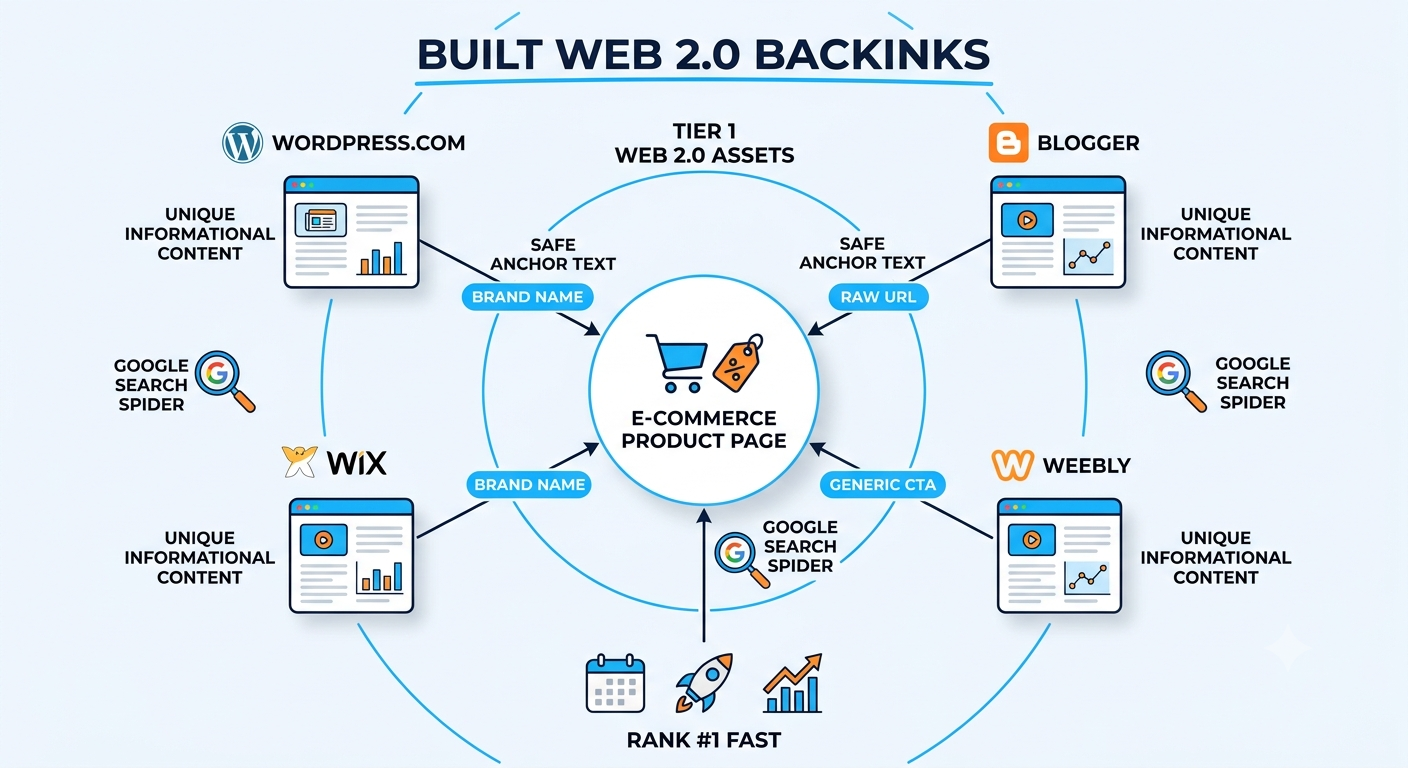
Go to high-authority web 2.0 platforms like WordPress.com, Blogger, Wix, and Weebly. Register your accounts using clean email addresses. When choosing your subdomain name, do not use your target transactional keyword. Instead, use a broad niche topic or a variations of your brand name (e.g., instead of buy-womens-supplements.wordpress.com, use wellnessvitalityhub.wordpress.com).
Do not post thin content. Your web 2.0 needs a comprehensive, human-sounding article that answers a real-world user problem related to your product. If your product page sells an anti-aging face cream, write a deep-dive guide on “The Science of Evening Skin Regeneration.” The content must provide real information gain to satisfy Google’s helpful content guidelines.
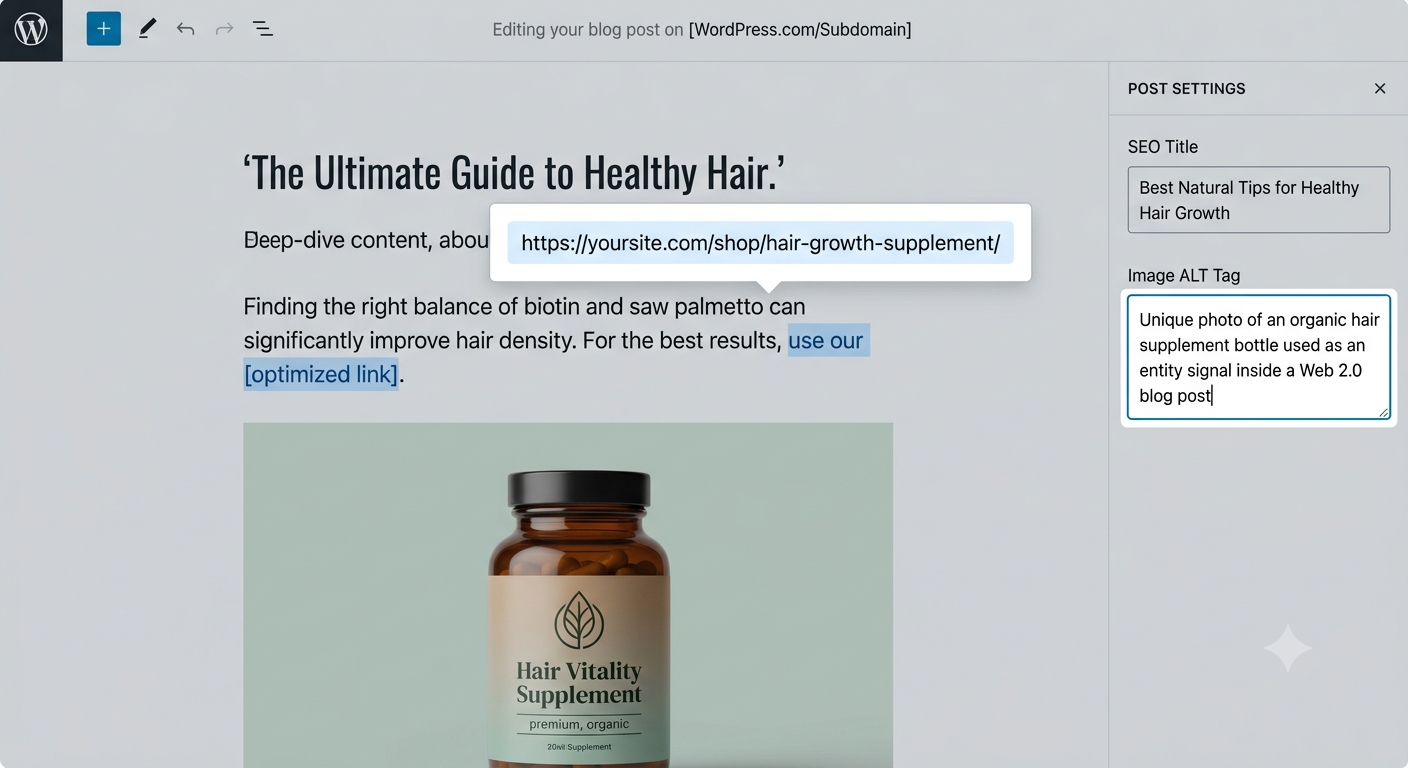
Within the text of your web 2.0 article, link to your e-commerce product page naturally. Use a soft branded anchor text, a generic phrase, or the full raw URL. Place the link in the upper-middle section of the body copy where an interested reader would naturally click to see the product mentioned.
Your web 2.0 article must explicitly mention the exact brand name, product dimensions, physical attributes, and main ingredients/materials of the item sitting on your store. This helps Google’s NLP (Natural Language Processing) models map the connection between the web 2.0 text and the Product Schema data on your money site.
The Bulletproof E-Commerce Anchor Text Strategy
The secret to ranking product pages safely lies entirely within your anchor text distribution profile. If you get greedy and use your exact match keyword for every link, you will fail.
To ensure the link profile looks 100% organic to the Google search spider, you must dilute your anchors across your web 2.0 properties. For every 5 web 2.0 sites you build pointing directly to an individual e-commerce product page, use this exact distribution model:
| Anchor Text Classification | Example Execution Style | Target Allocation Percentage |
| Pure Brand Name | Yuviora / Rankers Paradise | 40% (2 out of 5 links) |
| Naked Raw Product URL | https://yoursite.com/shop/product-page/ | 20% (1 out of 5 links) |
| Generic / Call-to-Action | visit the online store / view the full collection | 20% (1 out of 5 links) |
| Exact Match / LSI Variation | how to link web 2.0 to e commerce product page | 20% (1 out of 5 links) |
By keeping your exact match keyword down to just one out of every five links, you feed the algorithm exactly what it wants to see: an organic, brand-heavy citation profile that passes massive domain authority without looking like an artificial ranking campaign.
How to Handle Footprint Mitigation and Avoid De-indexing
If you build multiple web 2.0 properties from the same browser session using the same recovery email address, Google will group those subdomains together. Once Google identifies them as part of a personal network, it will discount the links entirely or de-index the web 2.0 sites before they can pass any value.
Use the Browser Isolation Framework
When setting up your web 2.0 properties, never register them back-to-back on your standard daily browser.
-
Clear your browser cookies and cache between every registration campaign, or use isolated browser profiles.
-
Never use the exact same password or account recovery email for platforms owned by different parent entities.
-
Keep a clean spreadsheet log of your login details so you can return to these sites later to update the content, keep the pages active, and add more internal authority to your link wheels.
Diversify Your Media Assets
Do not use the same stock images across different web 2.0 blogs. Google bot can read image metadata and pixel arrays easily. Take unique photos of your products, change the file names to include local or semantic entities, and compress them into clean formats before uploading them to your web 2.0 posts.
Forcing Google Bot to Crawl and Index Your Product Links
Building the links is only half the battle. If the web 2.0 page stays unindexed, the Google bot will never pass the PageRank across the link to your e-commerce store.
If your online store runs on WordPress via WooCommerce, you have a massive advantage. You can use the Rank Math Instant Indexing API setup through the Google Cloud Console. Whenever you launch a new product page or update an existing one with new links, drop the URL directly into the indexing portal and hit the “Send to API” button. This forces an immediate, automated crawl from the Google search spider.
For the web 2.0 subdomains themselves, avoid using cheap automated pinging tools that blast thousands of low-grade index requests. Google ignores these completely. Instead, treat your web 2.0 pages like real content assets:
-
Share the live web 2.0 URLs across active social bookmarking hubs like Tumblr or Pinterest.
-
Share the post links within active thematic groups or niche social channels.
When Google’s mobile smartphone crawler detects fresh, natural user signals tracking toward those web 2.0 URLs from high-traffic social hubs, it will crawl the subdomains immediately, discover your product links, and begin updating your rankings in the live organic SERPs.