
I am going to show you exactly how to find expired web 2.0 blogs for free. Follow this step-by-step guide to scoop up powerful, high-authority web 2.0 properties that already have high-quality backlinks pointing to them.
When you build fresh web 2.0 sites, you start with zero authority. It takes time, effort, and high-quality content to index them and pass link juice to your money site.
But when you use expired web 2.0 blogs, you tap into existing Page Authority (PA) and established backlink profiles. The domain authority is already there. All you have to do is find them, register them for free, and add your contextual links.
To prove that this strategy works, I have used these exact free scrapers and manual footprints to rank my own blogs to the top of Google. Follow this step-by-step manual and you can do it too.
What are Expired Web 2.0 Blogs?
Expired web 2.0 sites are free subdomains (like Tumblr, Blogspot, Weebly, or WordPress) that were registered by real users in the past, built up with backlinks, and then abandoned or deleted.
Because the original creator deleted the account or let it go inactive, the subdomain name becomes available for registration again. Anyone can go to the main platform, sign up with that exact subdomain name, and instantly inherit the historical backlink profile of that URL.
If you do not want to spend the time scraping these yourself, you can always buy backlinks from a professional provider who already has a massive network of pre-scraped, high-authority properties ready to go.
How to Find Expired Web 2.0 Blogs for Free
You do not need to pay for expensive scraping software or web 2.0 marketplace lists. You can find highly powerful, spam-free blogs completely for free using simple search engine footprints and free crawling software.
I will walk you through the two easiest and most effective methods to find these properties.
Method 1: The Google Search Footprint Method (No Software Needed)
This is the absolute fastest way to find expired Web 2.0s without downloading any tools. We use advanced Google search operators to find footprints of deleted blogs that are still linked from other websites.
Step 1: Copy the Search Footprint
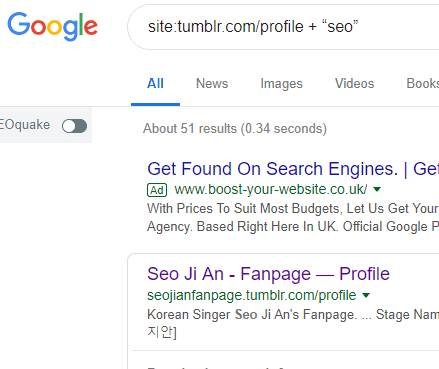
Go ahead and open Google. Copy and paste one of these exact search footprints into the search bar:
-
For Tumblr:
site:tumblr.com/post "not found" + "your niche" -
For Blogspot:
site:blogspot.com "blog has been removed" + "your niche" -
Alternative Tumblr footprint:
site:tumblr.com/profile + "your niche"
Step 2: Look for Broken Subdomains
Google will display Tumblr or Blogspot URLs containing your niche keyword that are returning “not found” or “removed” messages.
Click through the results. If you find a blog URL that displays a “The URL you requested could not be found” or “This blog has been deleted” page, you have found an expired candidate.
Step 3: Check If It is Available
Head over to the platform (e.g., Tumblr.com) and try to sign up for a new account using that exact subdomain name. If the platform allows you to register it, the domain is yours!
For more detail on managing these subdomains once registered, check out our ultimate guide on how to build web 2.0 backlinks step-by-step.
Method 2: The Screaming Frog Broken Link Scraping Method
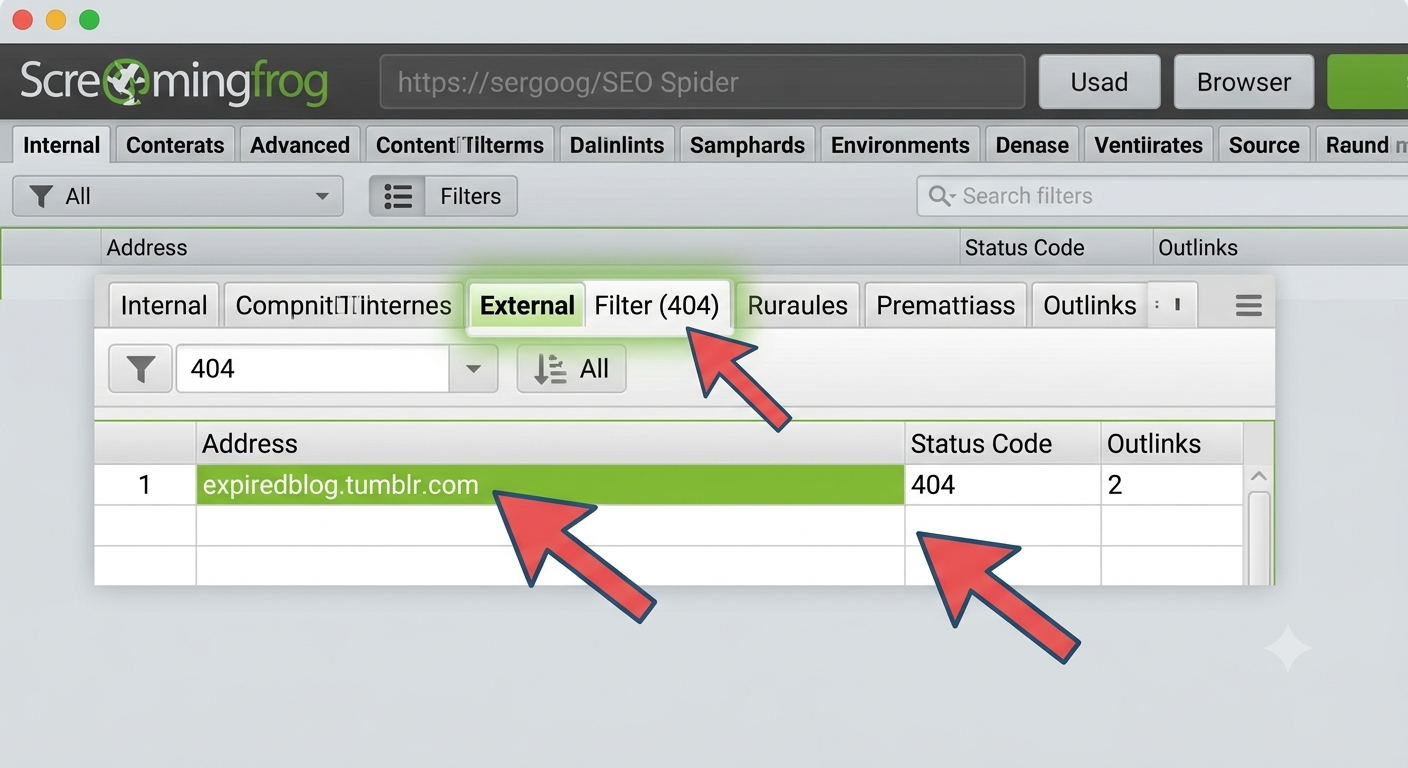
This method takes a little more time but will yield much higher quality domains with real backlinks. We will use the free version of the industry-standard Screaming Frog SEO Spider to crawl authority websites in your niche and find broken outbound links pointing to dead Web 2.0 sites.
How to Verify the Backlink Profile (Avoid Spam)
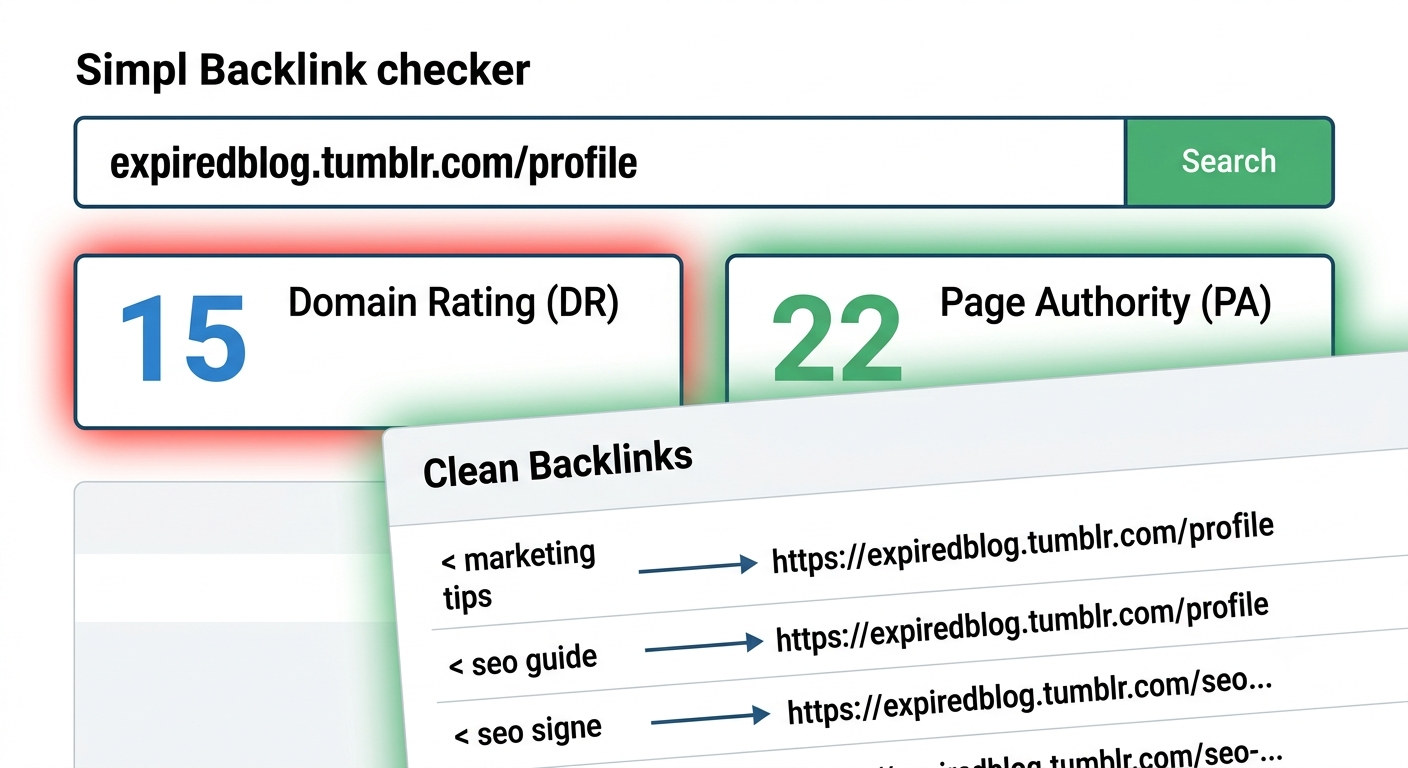
Before you register any expired blog, you must verify that the backlink profile is clean and not filled with pharmaceutical spam or adult links.
-
Run a free backlink check: Go to the Ahrefs Free Backlink Checker and paste the expired subdomain URL.
-
Check the anchor texts: Ensure the anchor texts are clean, natural, and related to your niche. If you see foreign language anchor spam or pharmaceutical terms, abandon the domain immediately.
-
Check historical authority: Ensure the Page Authority (PA) or Domain Rating (DR) is at least 10+.
Tips for Registering Your Expired Web 2.0 Blogs
When you find a clean, powerful expired blog, register it right away before someone else does. Follow these rules to keep your networks safe:
-
Use unique email addresses: Do not register all your expired Web 2.0s under a single email address. Use free, temporary email accounts or different free Gmails to register your sites.
-
Avoid footprints: Do not link to the same money site from every single Web 2.0 you register. Keep your link profile looking natural.
-
Add unique content: Do not leave the blog blank after registering. Use unique, niche-relevant content on the homepage and place your contextual link naturally inside the text.
If you follow this strategy, you will have an unlimited supply of high-power, free contextual backlinks that will move your keyword rankings to the top of Google.