
I am going to show you exactly how to align web 2.0 anchor text with local map pack rankings step-by-step.
If you are trying to push your local business into the Google Map Pack (the top 3 local map listings), you already know that traditional link building can be tricky. One wrong move with your anchor text and Google bot will slap your money site with an over-optimization penalty.
But when you know how to use free web 2.0 sites the right way, you have total control. You can pass powerful local proximity and relevance signals directly into your Google Business Profile (GBP) landing page without triggering any filters.
I will show you the exact anchor text ratios, the exact content optimization checklist, and how to structure your web 2.0 posts so that Google bot crawls them, indexes them, and pushes your map rankings to the top. To prove this works, I use these exact frameworks daily across our core properties at Rankers Paradise.
What is Web 2.0 Local Anchor Text Alignment?
Web 2.0 sites are free platforms (like WordPress.com, Blogger, Wix, and Weebly) where you can set up a free subdomain.
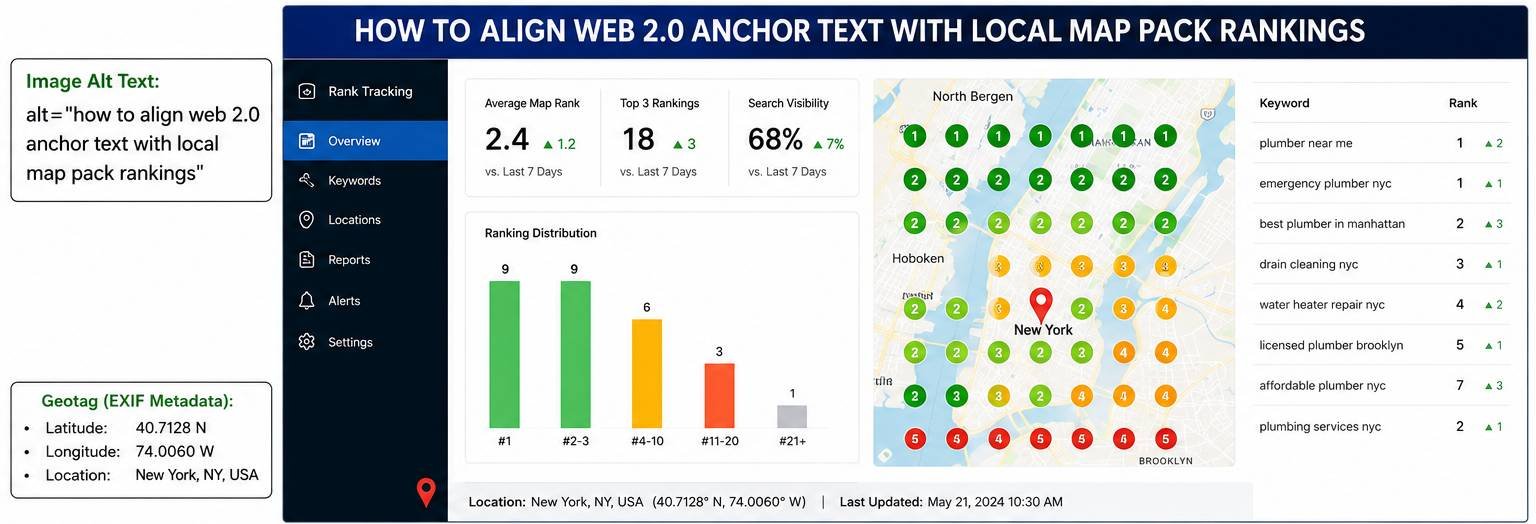
When we talk about how to align web 2.0 anchor text with local map pack rankings, we mean matching the clickable text (the anchor text) inside your web 2.0 posts with the exact geographic and entity signals that Google looks for when ranking a business in local search.
To rank in the Map Pack, Google looks at three main things:
-
Relevance (What your business does)
-
Distance/Proximity (Where your business is located)
-
Prominence (How well-known your business is online)
By perfectly aligning your web 2.0 anchors, you can feed Google bot all three signals at the same time.
The Ultimate Web 2.0 Local Anchor Text Ratio
Do not over-use your exact match target keywords as your anchor text. This is the quickest way to get your site penalized.
For your local SEO strategy to work perfectly, you need to mix up the text that you use in your backlinks across your web 2.0 network. If you are building a batch of 5 web 2.0 backlinks, use this exact blueprint:
-
Link 1: Brand + City (e.g., Rankers Paradise Scarborough) — This builds prominence and ties your brand name to your physical location.
-
Link 2: Target Niche + Geo (e.g., SEO Agency London) — This tells Google exactly what you do and where you do it.
-
Link 3: Raw URL or Naked Link (e.g., https://rankersparadise.com/) — This keeps your backlink profile looking 100% natural to the Google search spider.
-
Link 4: Generic / LSI Keyword (e.g., click here, visit website, local service provider) — Safe anchors that pass pure page authority.
-
Link 5: Exact Match Long-Tail Keyword (e.g., how to align web 2.0 anchor text with local map pack rankings) — Use the exact keyword only once in every 5 links to give it that final ranking push.
How to Optimize Your Web 2.0 Posts for Local Rankings
Your content alone will not rank if it isn’t optimized properly. Before you post your articles to your web 2.0 platforms, follow this quick checklist to ensure your content is 100% optimized to pass maximum local authority:
-
Keyword in Title: Make sure your main long-tail keyword is in the H1 Title Tag of your web 2.0 post.
-
Keyword in H2: Include the exact keyword or a close variation in at least one H2 heading.
-
Keyword Density: Keep the overall keyword density under 1%. Do not stuff keywords.
-
Embed Your Google Map: Copy the iframe embed code from your Google Maps listing and paste it directly into the HTML editor of your web 2.0 site.
-
Include Your NAP Data: Write out your business Name, Address, and Phone Number (NAP) at the bottom of the post. It must match your Google Business Profile exactly.
The Co-Citation Secret: Weaving Local Landmarks and Entity Signals Naturally
When most people set up a Weebly or Wix blog for local SEO, they drop a generic 400-word article, paste their address at the bottom, and call it a day. That doesn’t work anymore. If Google bot crawls your post and just sees a random block of text with a map stuck underneath it, the algorithm flags it as an unnatural footprint.
To win the top spot in the map pack, your content text needs to prove real-world geographic relevance. The secret to doing this is co-citation and entity association. This means you place your target anchor text right next to known, authoritative local entities—like major crossroads, historic landmarks, or regional transit hubs—that the Google search spider already recognizes on Google Maps.
Let’s look at how you actually write this so it sounds like a human practitioner is talking, while quietly feeding the algorithm exactly what it wants.
If you are looking to push rankings for a plumbing site in downtown Boston, do not just spam “Plumber Boston” five times in the text. Instead, talk about the actual service area mechanics.
Our dispatch trucks roll out daily right past the historic Fenway Park, covering residential calls all the way down Commonwealth Avenue and past the Kenmore station hub. Because we are situated just a few blocks south of the Charles River, our response times across the entire Back Bay district are under twenty minutes, even during rush hour traffic near the inner belt.
Look at what happens when you structure your text that way. You are naturally telling the search spider exactly where your business operates without keyword stuffing. When you drop your contextual backlink right into that paragraph, Google maps those physical coordinates directly to your money site.
But you have to be careful with the technical setup here. For example, when you are building out your network of web 2.0 backlinks, platforms like WordPress.com or Tumblr can sometimes strip out raw HTML if you try to force-feed a poorly formatted Google Maps iframe code. To bypass this, always switch your web 2.0 editor view from ‘Visual’ to ‘HTML’ or ‘Text’ before pasting your map share code from the Google Business Profile Dashboard. If the platform’s responsive CSS stylesheet stretches your map out of proportion on mobile devices, manually change the width attribute inside the iframe tag from a fixed pixel number to width="100%".
To make the page look completely natural to human readers and quality evaluators, always link out to authoritative, non-competing external resources within the same paragraph. If you are discussing local regulations, zoning laws, or historical districts, drop a link to the official municipal site like the Boston.gov Official Website or a relevant reference page on Wikipedia. This breaks up the link footprint, passes trust down the wire, and shows Google that your Web 2.0 isn’t a dead-end bridge built solely to manipulate rankings—it’s a highly valuable resource hub.
Step-by-Step Local Alignment Strategy
Follow these exact steps on your chosen web 2.0 platforms to get the best keyword ranking results.
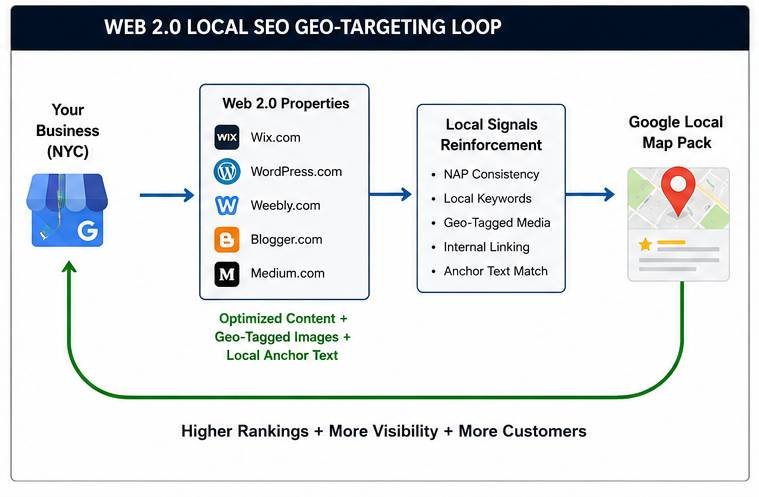
Sign up for free accounts on top-tier platforms like WordPress.com, Weebly, or Wix. Choose a subdomain name that includes your brand name or your local niche to build early thematic relevance.
Paste your unique optimized article into the editor. Go to the HTML/Code view and embed your Google Map iframe alongside your exact NAP data. This anchors the web 2.0 page to your real-world physical location.
Highlight your chosen text based on the anchor text ratio (such as your Niche + Geo anchor), click the link icon, and insert your money site landing page URL or your GBP share URL.
Once published, copy your web 2.0 URLs. Use the Rank Math Instant Indexing API or a trusted indexing tool to force the Google search spider to crawl your new web 2.0 pages so your rankings update quickly.
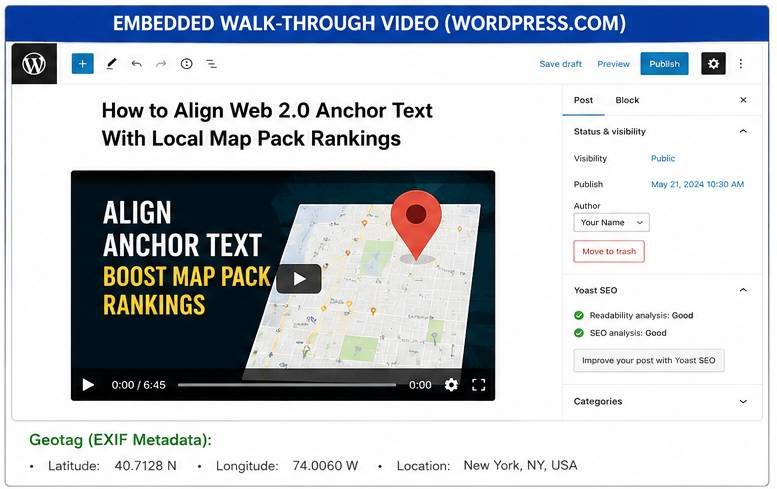
Powering Up Your Local Subdomains with a Tier 2 Link Wheel
Once your primary Tier 1 web 2.0 sites are live and perfectly optimized with your local landmarks and anchor text distribution, you shouldn’t just leave them sitting there. To pass serious prominence power to your map pack listing, you want to link those web 2.0 sites together in a closed framework known as a web 2.0 link wheel.
Have your Tumblr post link to your Blogger site, your Blogger site link to your Wix site, and your Wix site link back to your Tumblr. This funnels residual page authority through the entire circle before passing it directly down the aligned anchor text right to your money site. It builds an isolated cloud of local topical authority that competing sites with generic, unoptimized links simply cannot replicate.
Nick’s Pro Tip: Always keep a log of all your web 2.0 login details in an Excel sheet or Notepad file. You can go back to these exact same high-authority platforms later on to add new posts and rank different pages on your website for free. Keep your formatting clean, vary your media assets across each unique property, and watch your local map pack positioning shoot straight to the top.