
If you follow my blog, you already know that web 2.0 platforms are the fastest, most predictable way to rank a website for free. I have proved it over and over again with my live ranking results.
But as your keyword rankings start to shoot up to the top of the Google SERPs, something else happens. Your competitors are going to notice you.
The first thing a jealous competitor will do is pop your URL into a tool like Ahrefs or Semrush. They want to reverse-engineer your hard work, scrape your network, and copy your exact link strategy. Or worse, they will try to run a spam attack or report your network to clean up the SERPs for themselves.
To protect your rankings, you need to hide your web 2.0 footprints.
Most traditional SEO guides will tell you to just drop a few lines of code into your .htaccess file or edit your server’s firewall to block the AhrefsBot. That works perfectly if you are building self-hosted PBNs. But what happens when you are using free web 2.0 platforms like Wix, Blogger, Weebly, or WordPress.com?
You don’t have root server access. You can’t touch the .htaccess file.
If you try to use the built-in “Hide from Search Engines” toggle in the web 2.0 settings dashboard, you will completely ruin your SEO because that blocks Googlebot too. If Google can’t crawl it, the backlink is completely useless.

Today, I am going to show you the exact, actionable workarounds to hide your web 2.0 networks from third-party SEO crawlers while keeping the doors wide open for Googlebot.
Why You Must Mask Your Backlink Footprints
Before we look at the steps, you need to understand exactly what a crawler footprint is.
When you use web 2.0 platforms, third-party crawlers look for common signs to group your blogs together. These signs include:
-
The exact same outbound link profiles (linking to the same target sites).
-
Identical account creation dates and identical themes across platforms.
-
Interlinked web 2.0 blogs (forming an obvious link wheel).
If a competitor uses Ahrefs to look at your backlink profile, they can trace every single free sub-domain you’ve built. By blocking these spy bots, your backlink profile will look completely blank or standard in Ahrefs, but Google will still see the full weight of your contextual links and push your site to position #1.
Step 1: The Specific User-Agent Robots Meta Tag Method
Since you cannot modify the server-level files on free platforms, you have to control the bots at the individual page or theme level using HTML.
Many high-authority web 2.0 platforms allow you to edit the HTML source code of your theme or insert custom code into the header. This is where we can target specific spy bots by name while ignoring Googlebot entirely.
Here is the exact code block you need to insert between the <head> and </head> tags of your web 2.0 site:
HTML
<meta name="AhrefsBot" content="noindex, nofollow">
<meta name="SemrushBot" content="noindex, nofollow">
<meta name="DotBot" content="noindex, nofollow">
<meta name="MJ12bot" content="noindex, nofollow">
<meta name="Rogerbot" content="noindex, nofollow">
How to apply this on specific platforms:
-
Blogger (Blogspot): Go to Theme -> Edit HTML. Find the
<head>tag at the very top, paste the code right below it, and save. Blogger also has a built-in feature under Settings -> Crawlers and Indexing where you can enable custom robots header tags. -
Tumblr: Go to Edit Appearance -> Edit Theme -> Edit HTML. Drop the meta tags directly into the header section.
-
WordPress.com / Wix / Weebly: These platforms do not always allow raw header theme editing on their completely free tiers. For these platforms, you will need to rely on the natural footprint defenses outlined in Step 3, or use our redirection buffer method.
Step 2: The Redirection Buffer Trick
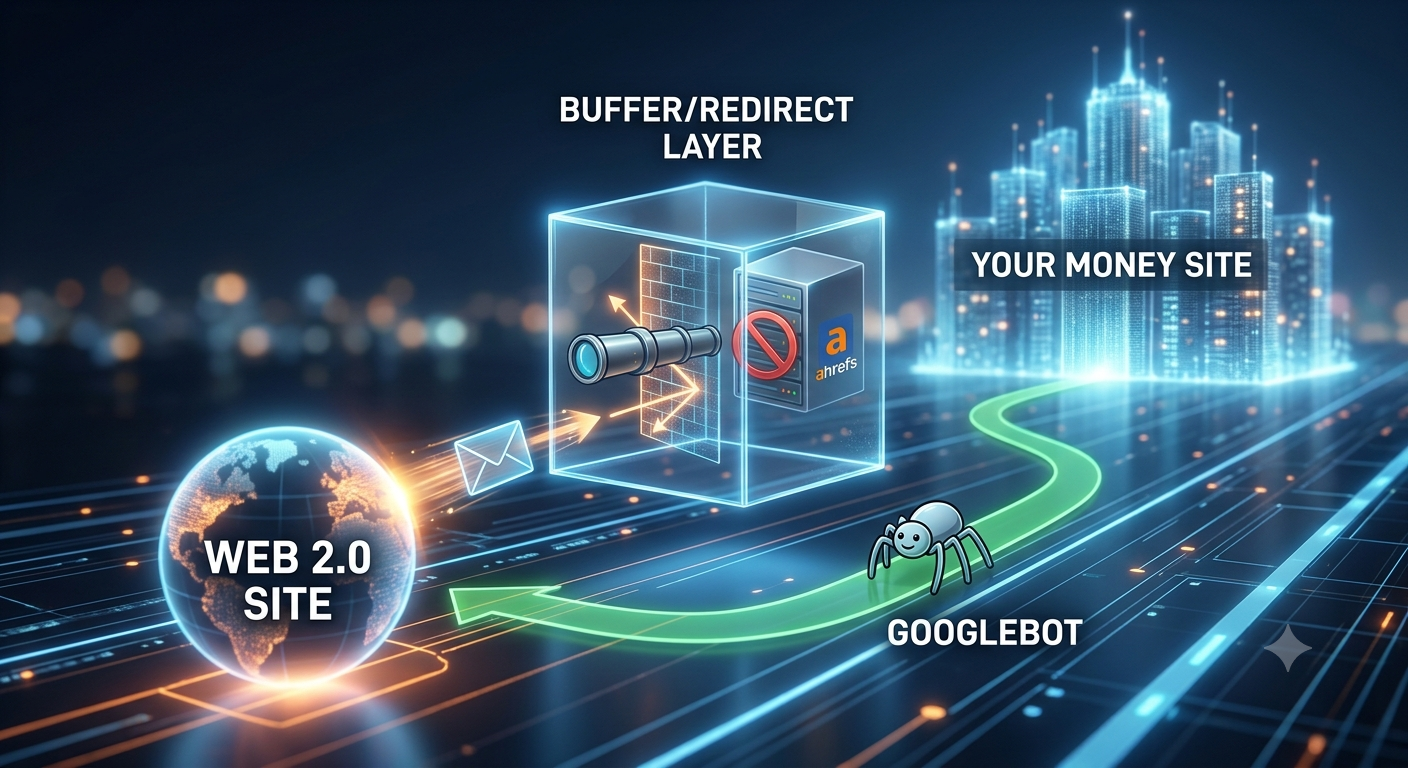
If you are using a locked-down web 2.0 platform where you absolutely cannot edit the HTML code to block specific user-agents, you can use a redirection buffer to hide the origin of the link.
Instead of linking your web 2.0 blog directly to your money site, you link the web 2.0 to a high-authority bridge page or a redirection shortener that actively blocks Ahrefs and Semrush on their end.
[ Your Web 2.0 Blog ]
       │
       ▼
[ Protected Redirection URL / Cloudflare Page ] (Blocks AhrefsBot)
       │
       ▼
[ Your Money Site ]
You can set up a free domain or a free hosting account on a platform where you do have control over the .htaccess file (or use a free Cloudflare account). You set that page to block all third-party bots using a standard robots.txt or a Cloudflare Web Application Firewall (WAF) rule.
When Ahrefs tries to follow the link from your web 2.0, it hits the buffer page and gets blocked. It can never see that the link eventually passes through to your main money site. Meanwhile, Googlebot passes right through the buffer and crawls straight to your site, passing 100% of the link juice.
If this sounds like too much technical heavy lifting, or if you just don’t have the time to manage buffers and code layouts for hundreds of sub-domains, you can always choose to buy backlinks directly from our store. We handle all the footprint management, privacy, and bot blocking safely on our end so your link profile stays clean.
Step 3: Use the “Natural Footprint” Defense
The reality of modern SEO is that blocking bots completely can sometimes raise a red flag if a human reviewer looks closely at your sub-domain. If an elite competitor sees a web 2.0 site that is ranking well but has explicitly blocked all tracking bots, they will instantly know it is a calculated SEO asset.
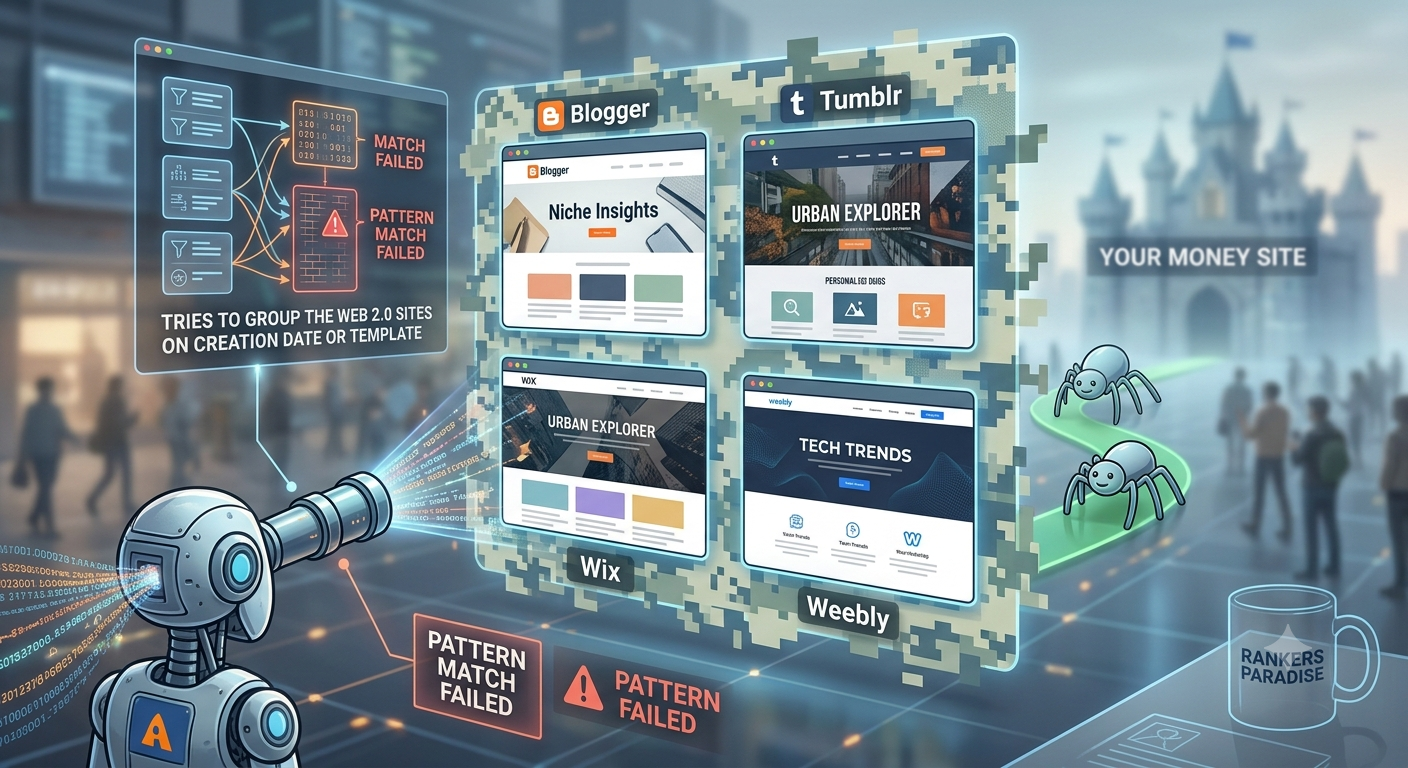
The most effective, bulletproof way to hide your web 2.0 backlinks from Ahrefs is to make your network completely look like it is run by real, ordinary humans.
Third-party crawlers rely on bulk data patterns to flag footprints. If you disrupt the pattern, you break the tool’s ability to find you. Follow this checklist for every single account you create:
1. Vary Your Account Sign-Up Details
Never register 20 different web 2.0 accounts on the same day using the exact same email prefix or password pattern. Use different free temporary emails or separate Outlook/Gmail accounts. Space out your creation times.
2. Ditch the Default Themes
When you sign up for Wix or WordPress, do not just click the very first default template and leave it blank. Change the color scheme, pick a unique font, add a custom logo, and create standard operational pages like an “About Me”, “Contact Us”, and a “Privacy Policy”. Real human bloggers have these; automated spam networks do not.
3. Outbound Link Randomization (The Golden Rule)
If your web 2.0 blog only contains one single post, and that post links directly to your money site using an exact match anchor text, you have left a massive footprint that Ahrefs can map in seconds.
-
Add authority links: In every post, link out to 1 or 2 massive, non-competitor authority sites within your niche (like Wikipedia, WebMD, or a major news outlet).
-
Post filler content: Post 2 or 3 helpful articles that contain absolutely no promotional links to your money site at all. This mixes up the outbound link profile and completely confuses automated scrapers.
4. Mix Up Your Anchor Text
As I always say, do not over-optimize your anchor text. If Ahrefs shows that 90% of your incoming links from web 2.0 platforms use your exact target keyword, your footprint is wide open. Keep your anchor profile natural by mixing your full open URLs, your brand name, and generic phrases like “click here” or “source” across your network.
Final Thoughts: Keep It Simple and Consistent
Hiding your web 2.0 footprints from tools like Ahrefs doesn’t require you to be a master programmer. By combining simple header meta tags on open platforms with a highly randomized, natural building strategy on locked platforms, you can keep your link network completely invisible to your competitors.
Google bot will continue to crawl, index, and credit your links, while your competitors will look at their premium SEO dashboards and wonder how your site is dominating the top of the organic SERPs.
If you want to see exactly how we set up sticky, permanent link networks that get results without leaving dangerous footprints, check out our step-by-step guide on how to use web 2.0 sites for backlinks. It shows you the exact platforms we use that stand the test of time. If you want to speed up the process and buy backlinks see our guide first to help you get started making smart decisions.