
I am going to show you exactly why your free Web 2.0 blogs are getting deleted, and how you can stop the automated spam bots from destroying your hard work.
If you have been building web 2.0 backlinks for a while, you know the feeling. You spend hours signing up for free platforms, adding your unique content, carefully dropping your backlink to your money site, and hitting publish. You go back 48 hours later to check your link, and boom—your entire blog subdomain has been nuked out of existence. Your account is disabled and your backlink is completely gone.
Let’s get one thing clear: Web 2.0 platforms like WordPress.com, Blogger, Wix, and Weebly are not “dead” in 2026. They remain a massive part of my everyday ranking SEO strategy because their Domain Authority is through the roof.
The platforms are not the problem. The way you are creating them is.
I see people make the exact same footprints over and over again, and then they wonder why their link networks get smashed by the platforms’ automated security systems.
You can follow this guide step-by-step for free to understand the exact flags that trigger these account bans, and how to build a bulletproof network that sticks permanently. If your free blogs stick, your backlinks stick, and that means your Google organic search rankings remain in place too.
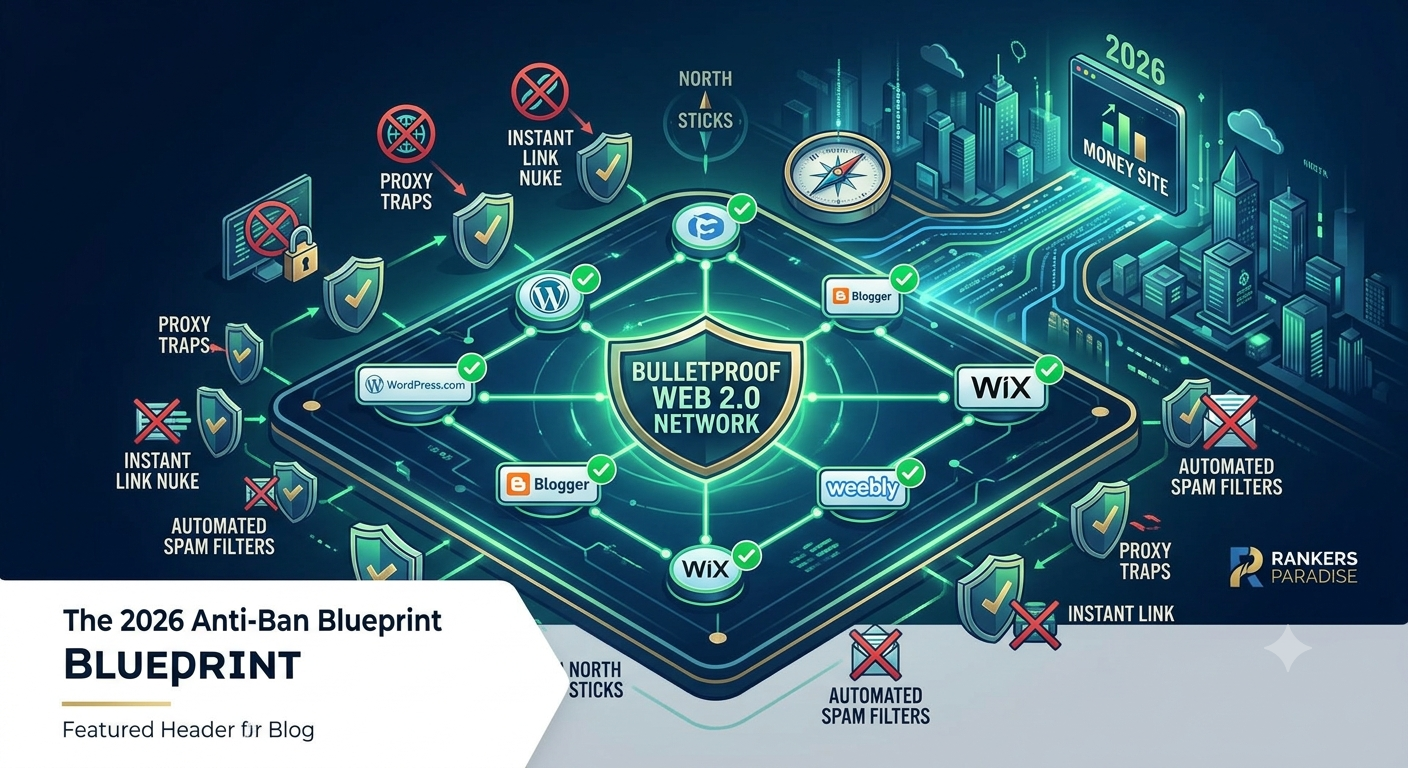
The Core Technical Footprints That Nuke Your Free Blogs
Before we look at how to set them up safely, you must understand why the platform security systems are flagging your accounts. These companies (Automattic, Google, Wix) spend millions of dollars on automated systems to detect manipulation. If you look like a standard link builder blasting links, you will get caught by modern Google spam filters every single time.
Here are the four primary reasons your Web 2.0 blogs are getting deleted:
1. The Proxy and Registration IP Trap
If you open up your regular home browser and register five different WordPress.com or Blogger accounts back-to-back, you have already failed before you even write a single word of content. The systems flag your local IP address for automated registration velocity. When one blog gets flagged for spam later on, the system looks back at the registration IP and deletes every single other blog created in that same session.
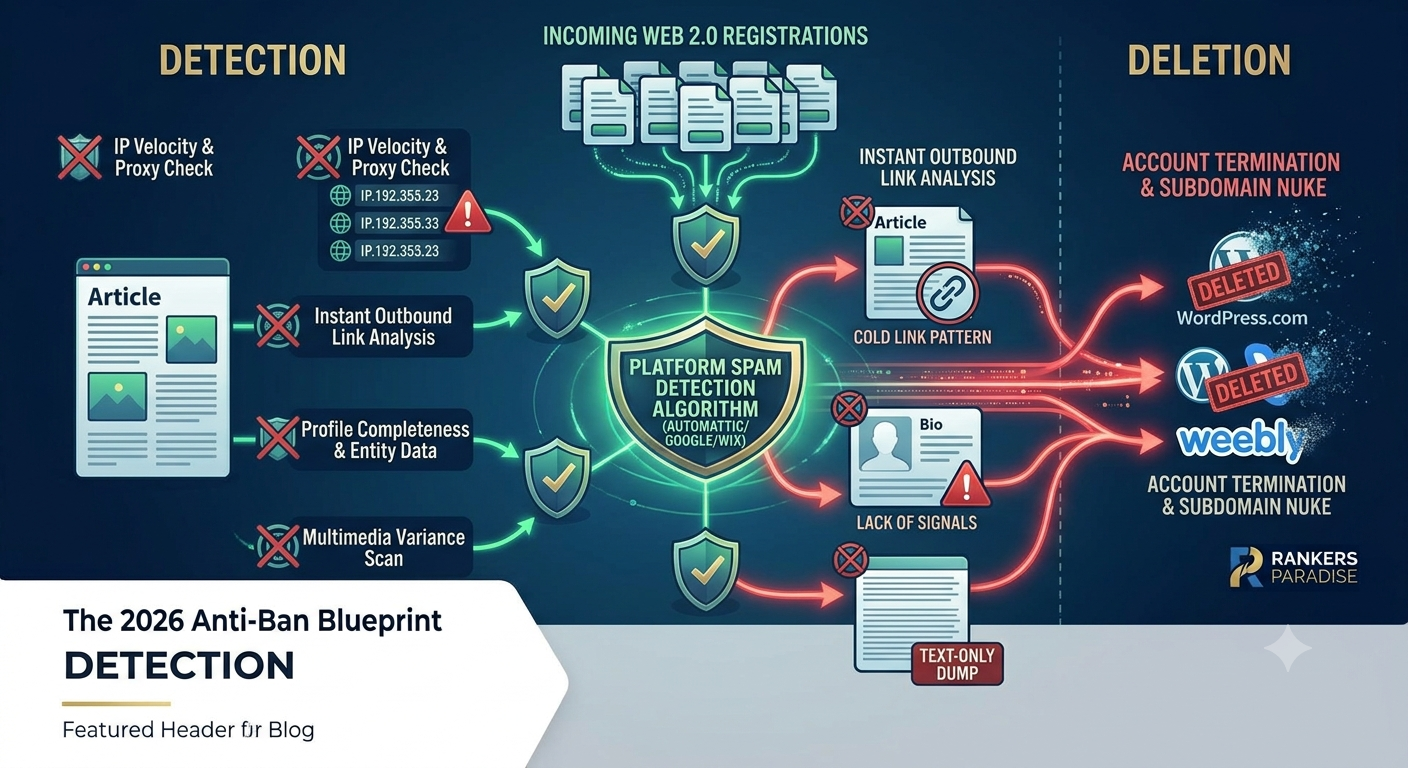
2. Instant Commercial Linking (The 5-Minute Nuke)
This is the biggest mistake I see every single day in SEO forums. People register a brand new free sub-domain, immediately paste a 400-word article, and drop a commercial anchor text backlink to their casino, local business, or affiliate homepage within five minutes of opening the account. Real bloggers do not register a site just to link out to a commercial site on page one, paragraph one. The platform bot scans the outbound link, realizes it’s a cold link pattern, and flags the site as an automated link dump.
3. Total Lack of Profile Entity Data
When you open an account and leave the default theme active, use a generic username like seoexpert9823, leave the profile avatar blank, have no “About Me” description, and have zero secondary pages, you are screaming “spam network” to the automated platform sweeps.
4. Zero Niche-Relevant Media Variety
If your Web 2.0 blog contains purely plain text and a single contextual hyperlink, it lacks the basic multimedia engagement signals of a real website. Real human bloggers embed videos, use descriptive images with proper titles, and link out to other helpful, non-commercial resources on the web.
How to Set Up Bulletproof Web 2.0 Blogs (Step-by-Step)
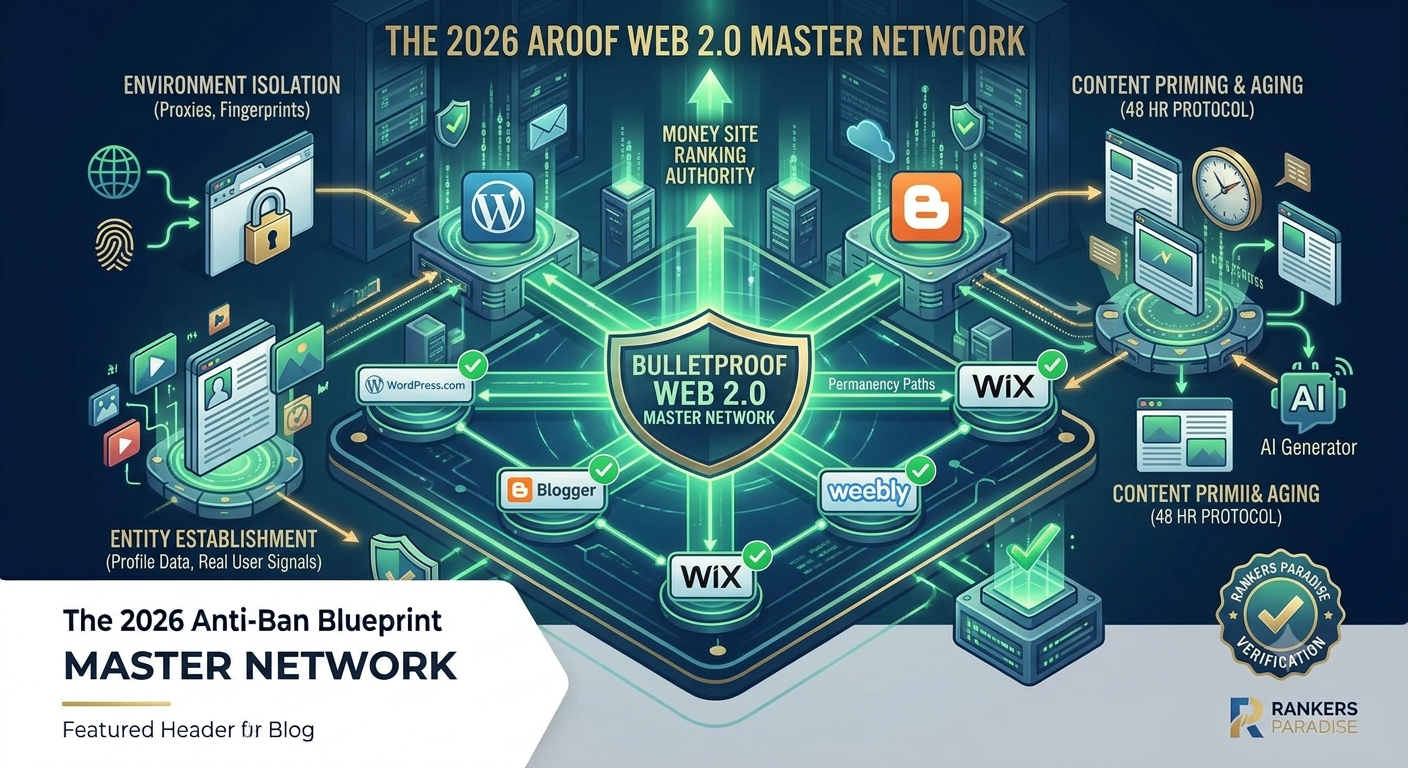
Now that you know what errors you are making, I am going to show you my personal workflow for building Web 2.0 blogs that stick permanently in the SERPs.
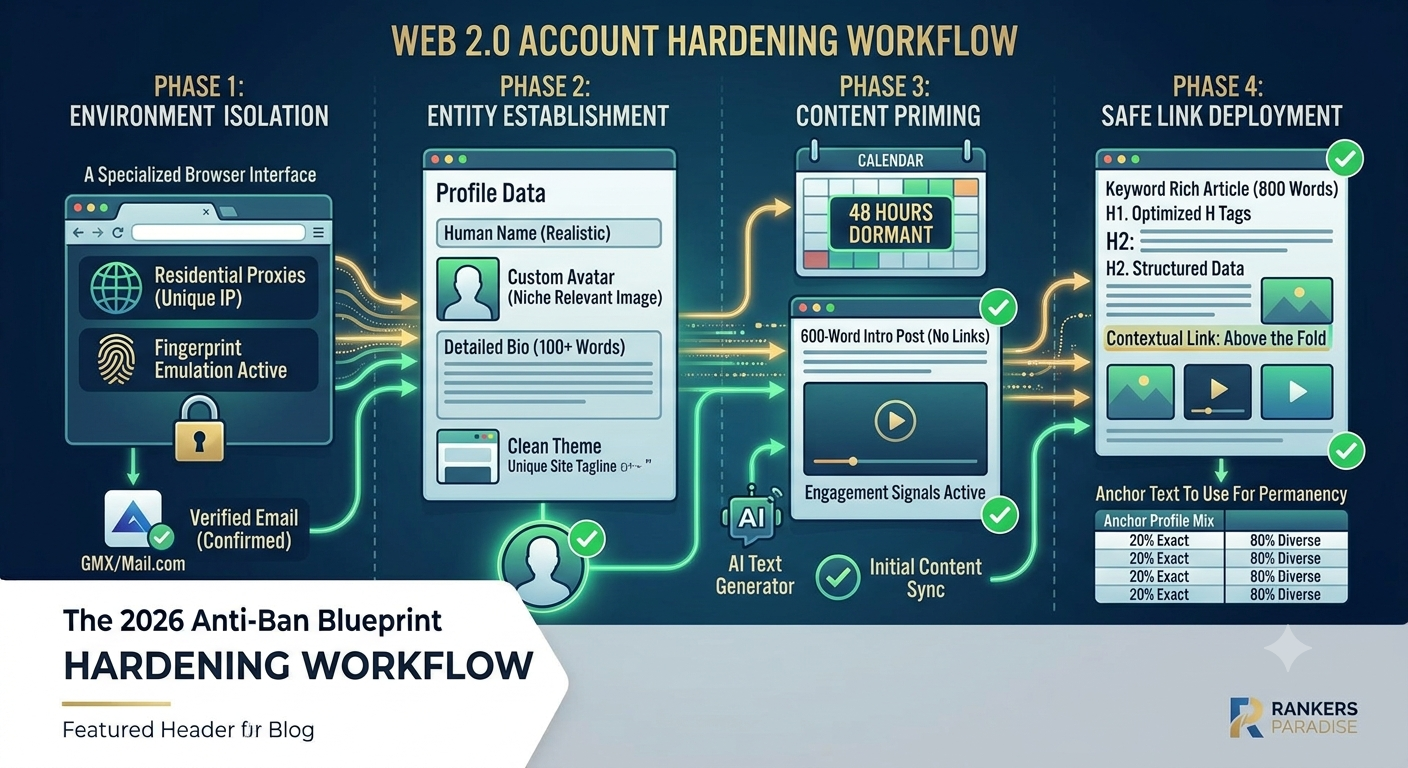
Step 1: Isolate Your Creation Environment
Do not create all your blogs from a single network connection without precautions.
-
Use a clean mobile hotspot connection or premium residential proxies.
-
Change your IP address or clear your browser data between every 2 to 3 platforms you sign up for.
-
You can use a free temporary email account from Mail.com or GMX to sign up, but always confirm the verification email before closing out the session.
Step 2: Build a Complete Entity Profile
Before you even think about your money site backlink, make the blog look completely natural.
-
Fill out the account profile completely. Upload an avatar image and write a simple, human bio.
-
Change the default theme layout. Choose a clean blog theme, adjust the site title, and write a unique tagline matching your niche.
-
Create an “About” or “Contact” page. Even a short 100-word page makes the sub-domain look like a real, standalone website.
Step 3: Enforce the 48-Hour Aging Protocol
When your blog is ready, do not drop your link yet.
-
Head on over to ChatGPT or your preferred writing tool and grab a clean, unique 600-word introductory article related to your niche.
-
Publish this article on your new Web 2.0 blog with absolutely zero external links.
-
Let the blog sit dormant for 48 hours. This allows the account to pass the initial automated “new user” filter window that most spam scripts trigger.
Step 4: Publish Your Contextual Content with Proper Anchor Mix
After 48 hours has passed, you can go ahead and post your primary ranking content.
-
Write a deeply optimized, unique article between 600 and 1,000 words.
-
Add your keyword to the beginning of the title, in the H1 tag, and in one H2 tag.
-
Add a niche-relevant image. Make sure you get your target keyword into the file name of the image and the image ALT tag.
-
Drop your backlink to your money site. I like to place my backlinks above the fold in the first or second paragraph.
Anchor Text To Use For Permanency
An important factor to understand is how you balance your outbound link profile within these free blogs. If you use your exact-match keyword as the anchor text on every single Web 2.0 site, you are begging for a platform deletion and a Google algorithmic penalty.
Make sure you mix up the text that you use for your backlinks. The following is a perfect rule to stick to across your network:
| Anchor Text Type | Example Style |
| Full Open URL | [https://yourdomain.com/page/](https://yourdomain.com/page/) |
| Brand Name | YourBrand |
| Title Tag | Your Exact Page Title Guide |
| Generic Link | click here, go here, website |
If you are following this ranking strategy across a standard 5-platform rollout, use 1 exact match keyword anchor text for every 5 links. The other 4 links must use brand, URL, or generic anchors from the table above to keep your off-page profile perfectly diverse and completely safe.
Force Google Bot to Crawl Your Web 2 Blogs Without Flags
There is no point in keeping these Web 2.0 blogs alive unless Google knows they exist. Once your content is live and safely established on platforms that don’t drop, you need to get them crawled.
To get our new Web 2.0 URLs crawled by Google bot safely without paying for premium automated indexing software, we use a simple tiered layering method or a direct social signal layer.
Plaintext
[Tier 2: High-Velocity Social Shares / Bookmarks]
                       │
                       ▼
         [Tier 1: Your Safe Web 2.0 Blog]
                       │
                       ▼
           [Your Target Money Website]
Instead of blasting your money site with rapid links, drop your live Web 2.0 post URLs onto your active Twitter/X, Pinterest, or Facebook profiles. You can also run a small layer of social signals directly at the Web 2.0 URL. This invites search engine crawler spiders to crawl the social platform, follow the link to your Web 2.0 blog, discover your contextual backlink, and pass the ranking authority straight down to your money site.
Frequently Asked Questions About Web 2.0 Banned Accounts
Which Web 2.0 sites are the safest and do not drop?
Based on years of continuous testing, the absolute best platforms that stick permanently when you follow the steps above are Wix.com, Weebly.com, WordPress.com, Strikingly.com, and Site123.com. They have massive infrastructure and do not shut down inactive accounts if the initial setup pattern looks completely natural.
Can I use the same email for all my blogs?
You can use one single email address to register multiple blogs within the same platform if it’s allowed (like managing multiple sub-domains inside one WordPress.com dashboard). However, never use the exact same username footprint and registration window across entirely different platforms without changing your browser cookies or environment.
Do I need to write the content myself by hand?
Hand-written content is always the absolute best method, but it is highly time-consuming. You can absolutely use generated AI content to fill out your Web 2.0 sites—this very strategy gets page 1 results all the time. Just make sure the content is well-structured, readable, and highly relevant to your target niche.
Get Someone Else To Do All This Work For You
If setting up isolated browser environments, managing proxies, structuring entity profiles, and managing the 48-hour aging protocol sounds like too much work for you, we can handle the entire strategy for you.
We have tried, tested, and refined our manual creation methods over years of algorithm updates. We know the exact footprints to avoid to ensure your link networks stick permanently to pass maximum ranking authority to your site.
If you want to completely bypass the manual grind while staying footprint-free, you can safely buy backlinks directly in the Rankers Paradise store. Our premium, fully manually built services handle all the creation, content optimization, multimedia embeds, and proper anchor text diversity for you, saving you massive amounts of time and money while driving real keyword ranking results straight to page one.